ChartBrick: Seamless Chart Creation
Quick summary
- Create charts from popular data sources with ease.
- No coding skills required for chart customization.
- Embed live charts anywhere you need them.
- AI generates intuitive visualizations quickly.
ChartBrick is an intuitive platform designed to create charts and dashboards from popular tools like Notion, Google Sheets, and more. Empower any user to create visual data representations without coding expertise. With ChartBrick, you embed dynamic charts anywhere with ease.
As a versatile solution, ChartBrick eliminates technical barriers for content creators, consultants, and freelancers, integrating effortlessly with data sources such as Airtable and MySQL. Discover how you can elevate your data visualization game with this powerful tool.
What ChartBrick Does?
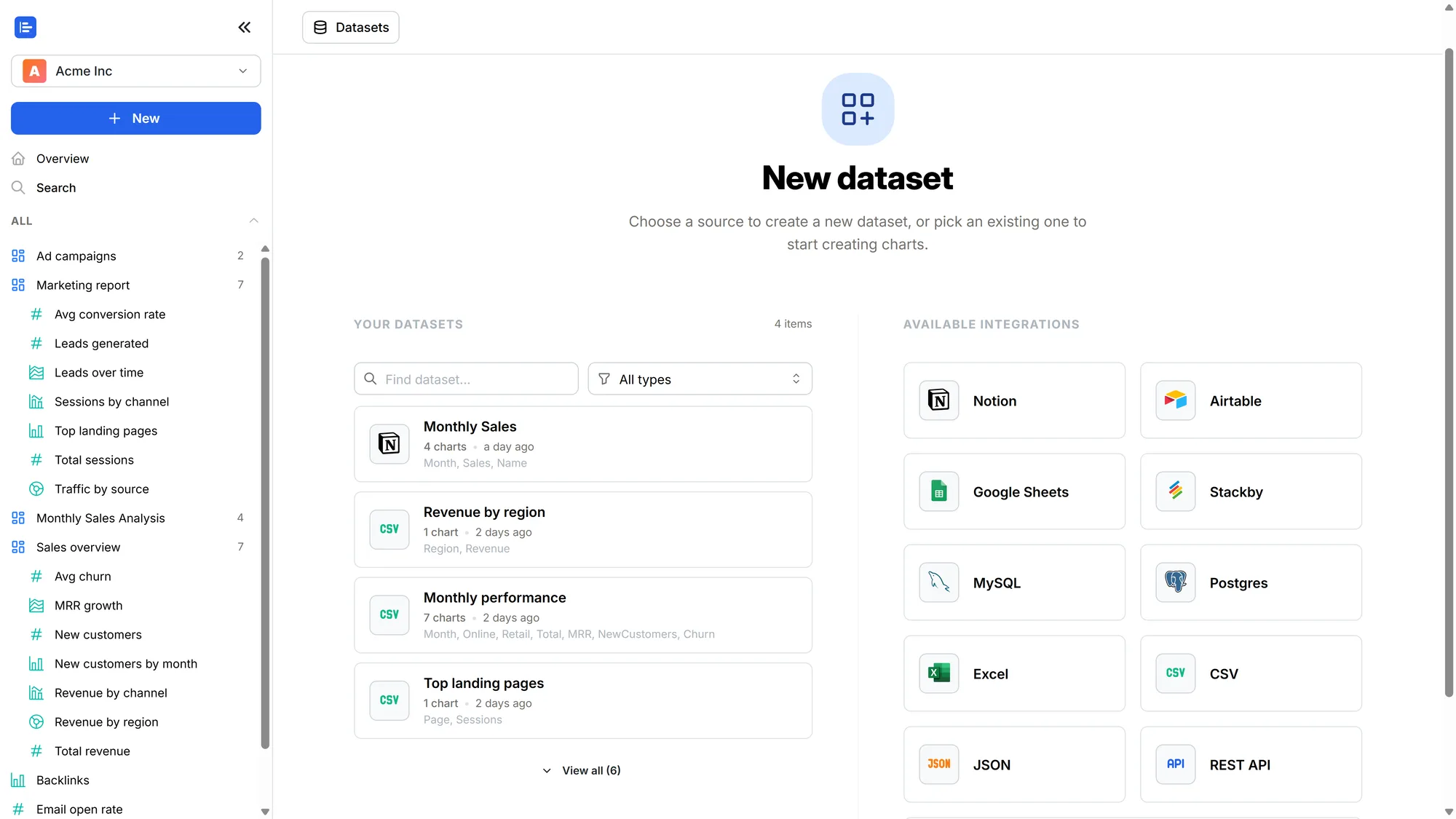
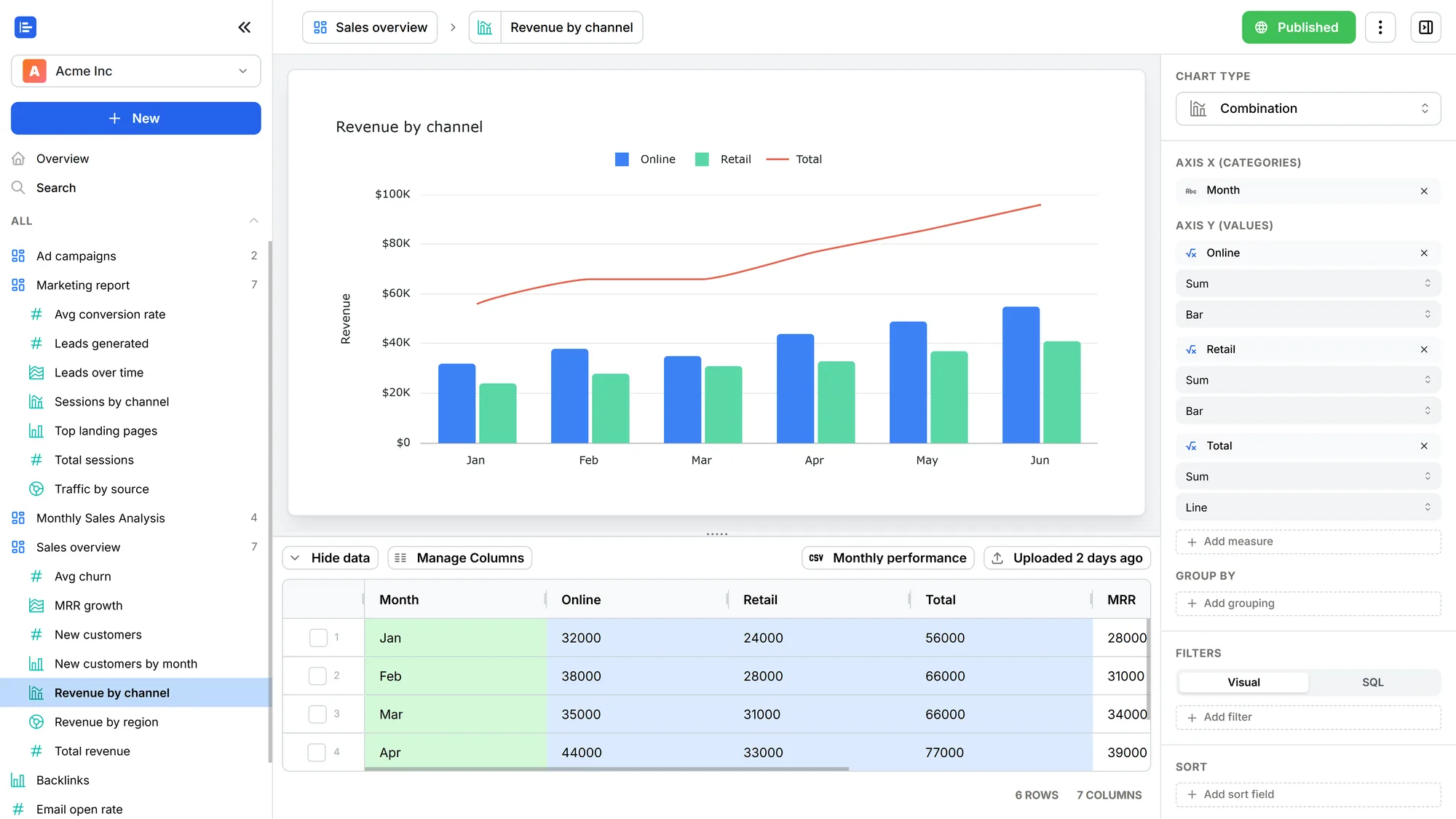
ChartBrick is an advanced tool that transforms data from platforms like Notion and Google Sheets into compelling charts and dashboards, without any coding required. Thanks to its integration capabilities, users can easily manage and display data from multiple sources, such as Airtable and MySQL, using AI-based chart generation features. Charts created with ChartBrick can be embedded anywhere, allowing for real-time data visualization and sharing.
With over 20 chart types, users can tailor their data presentation to suit specific needs, while features like scheduled auto-refresh ensure that the information remains current. Users gain unlimited access to dashboards, datasets, and sharing options, making ChartBrick a comprehensive solution for data-driven decision making.
How to use ChartBrick?
Getting started with ChartBrick is straightforward, even for those without technical skills. Here’s how you can quickly harness its capabilities:
- Connect your data: Integrate with your preferred data platform such as Google Sheets or Notion.
- Create your workspace: Start designing dashboards with an easy-to-use interface.
- Choose chart types: Select from over 20 chart styles to best represent your data.
- Embed your results: Share your charts with live updates on websites and workflows.
- Leverage AI tools: Use AI chart generation for quick data visualization.
Key Differentiators
ChartBrick stands out through its AI capabilities which streamline the chart creation process. Unlike traditional tools like Microsoft Excel that require manual data entry and manipulation, ChartBrick automates much of this task, freeing up user time and reducing the potential for errors.
Compared to Tableau, which can be complex and requires extensive training, ChartBrick offers a no-code, user-friendly experience that even beginners can navigate comfortably. It also assures flexibility with unlimited data sets and dashboards, unlike many other restrictive platforms.
Pros and Cons
Pros
- Seamless integrations with various data platforms
- No-code setup for quick data visualization
- Unlimited dashboards, datasets, and sharing options
- AI-powered chart generation simplifies processes
Cons
- Desire for more integrations by some users
- Additional chart types could enhance versatility
ChartBrick is a robust tool with user-reported strengths in integration and simplicity, although it could expand its feature range. Overall, it provides significant value in data visualization.
Who Is It For?
ChartBrick is ideal for consulting professionals who need to present data insights cleanly and efficiently. Content creators who require dynamic and visually appealing data representation for their audience will find ChartBrick highly beneficial. Freelancers looking to present data-rich projects without diving into complex software also stand to gain from its offerings.
Thanks to its user-friendly setup and comprehensive feature set, ChartBrick is a versatile tool for anyone seeking improved data presentation without extensive technical know-how. Its application spans various sectors, from education to business analytics.
Product images


At a glance
| Alternative to |
Microsoft ExcelTableau
|
|---|---|
| Integrations |
AirtableExcelGoogle SheetsMySQLNotion
|
| Best for |
ConsultantsContent creatorsFreelancers
|
Is it worth it?
ChartBrick represents excellent value for data professionals due to its seamless integration capabilities and comprehensive feature set. At just $49, significantly less than the original $107.88, it offers an affordable gateway to high-end data visualization. A versatile tool for consultants, content creators, and freelancers, ChartBrick makes complex data accessible. With a 60-day money-back guarantee, it’s a risk-free opportunity to enhance your data management toolbox. Ultimately, it is a wise investment for anyone seeking efficient, code-free data visualization.

About Daniel Seoane Pardo
Compared to alternatives
| Feature | ChartBrick | Microsoft Excel | Tableau |
|---|---|---|---|
| Integration Capability | Notion, Google Sheets, MySQL, Airtable | Limited add-ons | Extensive, but complex |
| Ease of Use | No-code, user-friendly | Requires formula knowledge | Advanced learning curve |
| Chart Types | 20+ types available | Limited standard options | Wide array but intricate design |
| AI Integration | Yes, for chart automation | No native option | Some AI features |
| Cost | $49 Lifetime | Subscription required | Subscription required |
* Based on publicly available information.
What users are saying
What users like
Users report appreciating the seamless integration with Notion and Google Sheets, along with the intuitive no-code interface. Most reviewers highlight the variety of chart types available and the ease of embedding charts in multiple platforms.
Common concerns
Some mention the desire for more integrations and additional chart types. Despite these minor drawbacks, the 60-day guarantee is considered a valuable feature for peace of mind.
FAQ
How does ChartBrick integrate with data sources?
ChartBrick connects seamlessly with Notion, Google Sheets, Airtable, and MySQL, allowing for real-time data updates and chart creation.
Can I use ChartBrick without coding skills?
Yes, ChartBrick requires no coding knowledge. Its user-friendly interface facilitates easy chart and dashboard creation.
What is the refund policy for ChartBrick?
There is a 60-day money-back guarantee, allowing you to try ChartBrick risk-free and receive a refund if it does not meet your needs.
Is ChartBrick suitable for large data sets?
Yes, ChartBrick supports unlimited datasets, making it suitable for handling large volumes of data seamlessly.
Who should use ChartBrick?
Consultants, content creators, and freelancers who wish to enhance data visualization without technical hurdles will benefit from ChartBrick.
Deal Terms
- Lifetime access to ChartBrick
- You must redeem your code(s) within 60 days of purchase
- All future plan updates
- Please note: This deal is not stackable
Related products

ApproveThis: Instant Collaboration
ApproveThis is a software tool designed to streamline approval workflows and facilitate seamless collaboration. Maximize efficiency with real-time updates and seamless integrations....

Sinosend: Global File Transfers
Sinosend is a powerful tool for sending and tracking file transfers worldwide. With features designed to facilitate international trade and communication, Sinosend...

Focusmate Private Group Access: Beat Distractions
Focusmate Private Group Access is a digital coworking space designed to help users conquer distractions and maximize productivity. With the power of...