Keyshift AI: Instant AI Triggers
Quick summary
- Instant AI access in any app with Keyshift AI.
- Custom shortcuts enhance writing efficiency.
- Multi-step workflows for user-specific needs.
- Positive user feedback highlights seamless integration.
Keyshift AI is a tool that enables users to activate AI features instantly in any application. Whether you’re rewriting, translating, or summarizing text, Keyshift AI integrates seamlessly with your system to enhance your writing efficiency. Designed for content creators, copywriters, and solopreneurs, this tool ensures smarter writing on both Windows and Mac.
Using Keyshift AI, you can transform text across applications with a simple shortcut command. It offers a powerful yet user-friendly interface to elevate your productivity. With a strong discount and high user ratings, this lifetime deal is a valuable opportunity for anyone looking to incorporate AI into their daily writing tasks.
What Keyshift AI Does?
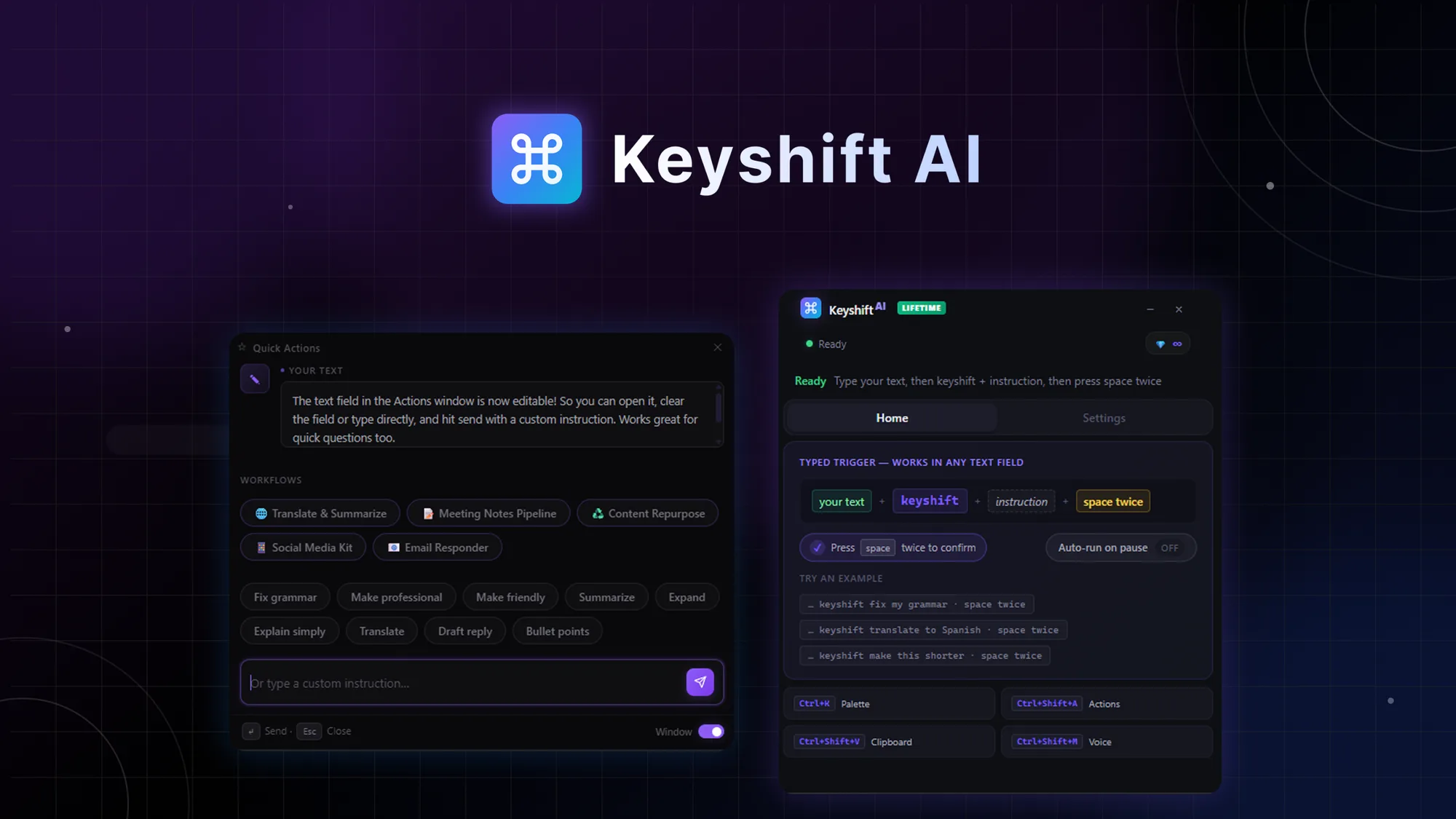
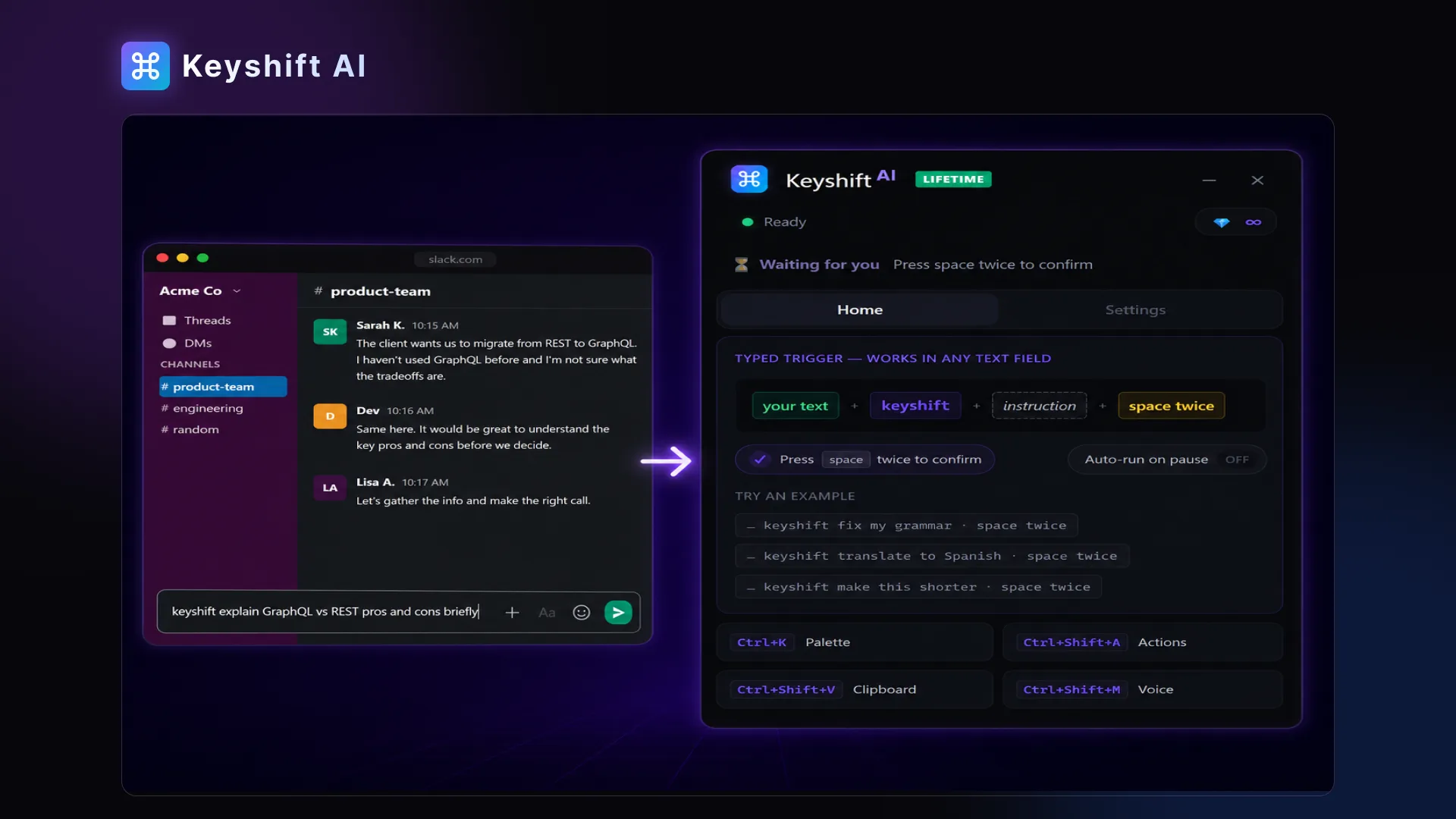
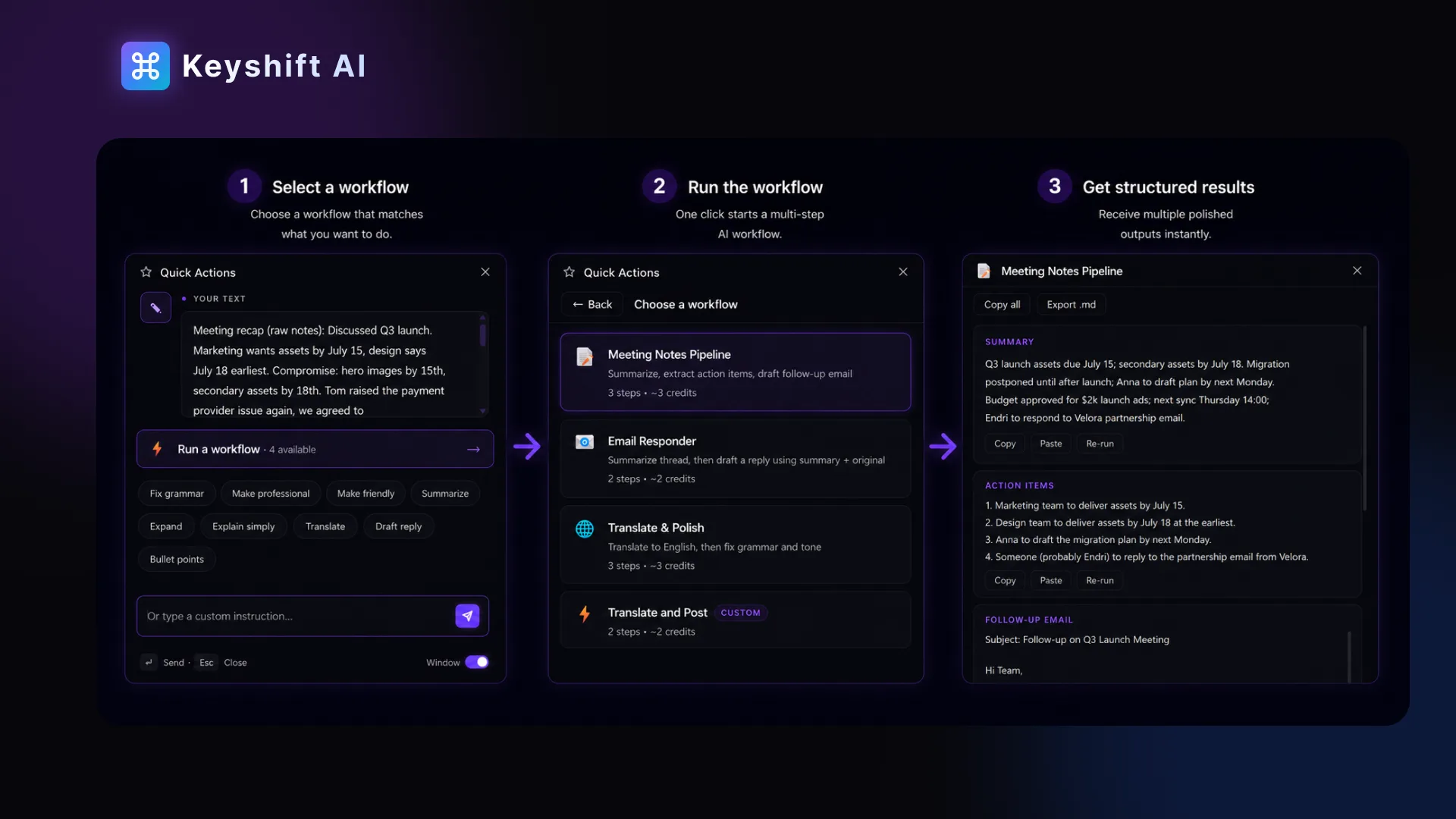
Keyshift AI enables instant access to AI-driven writing enhancements in any app you use. By simply typing ‘keyshift’ in a text field and hitting the spacebar twice, users can seamlessly rewrite, translate, or summarize content. This tool provides the flexibility to transform text without the need to switch applications, streamlining your workflow and enhancing productivity.
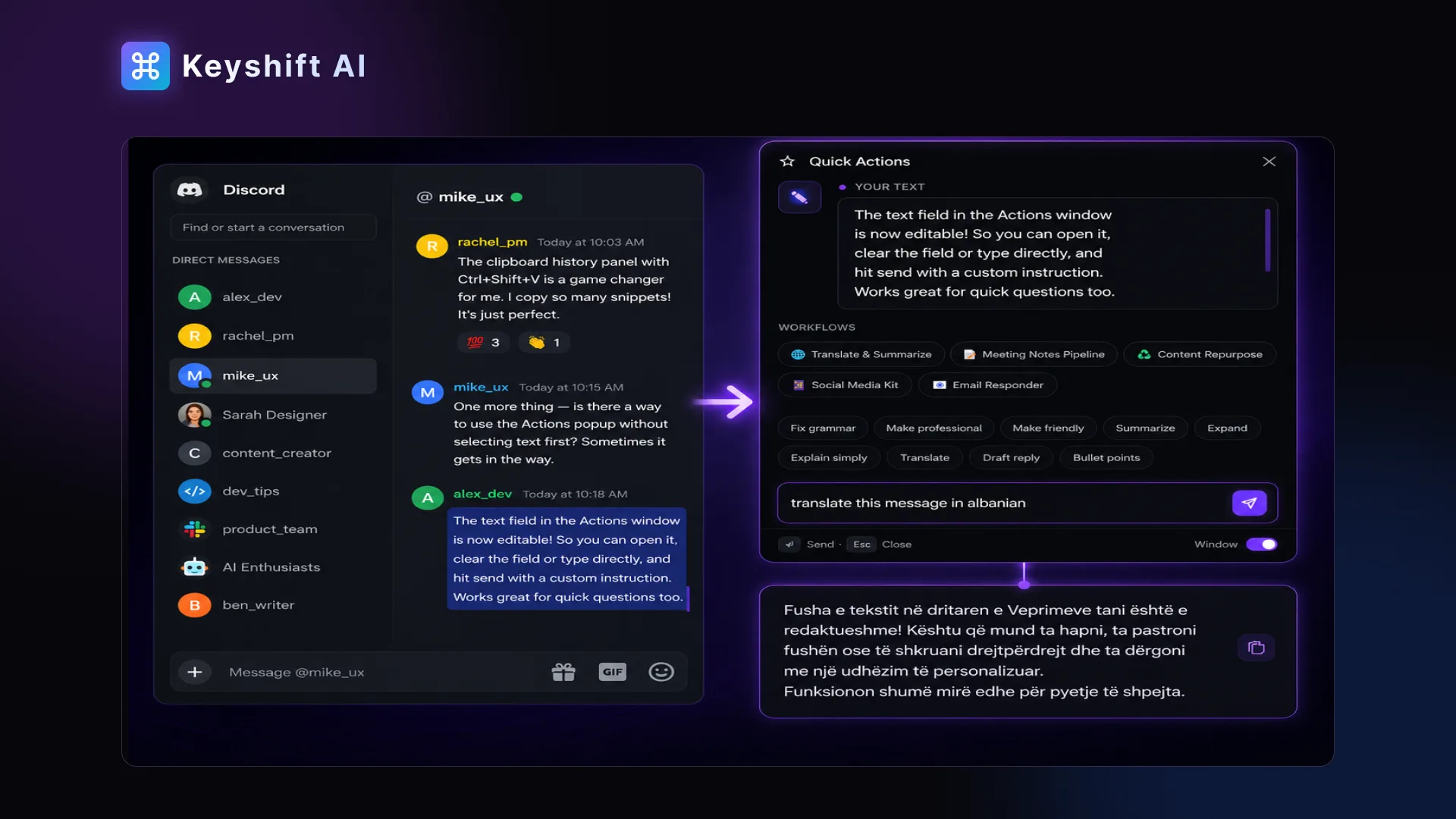
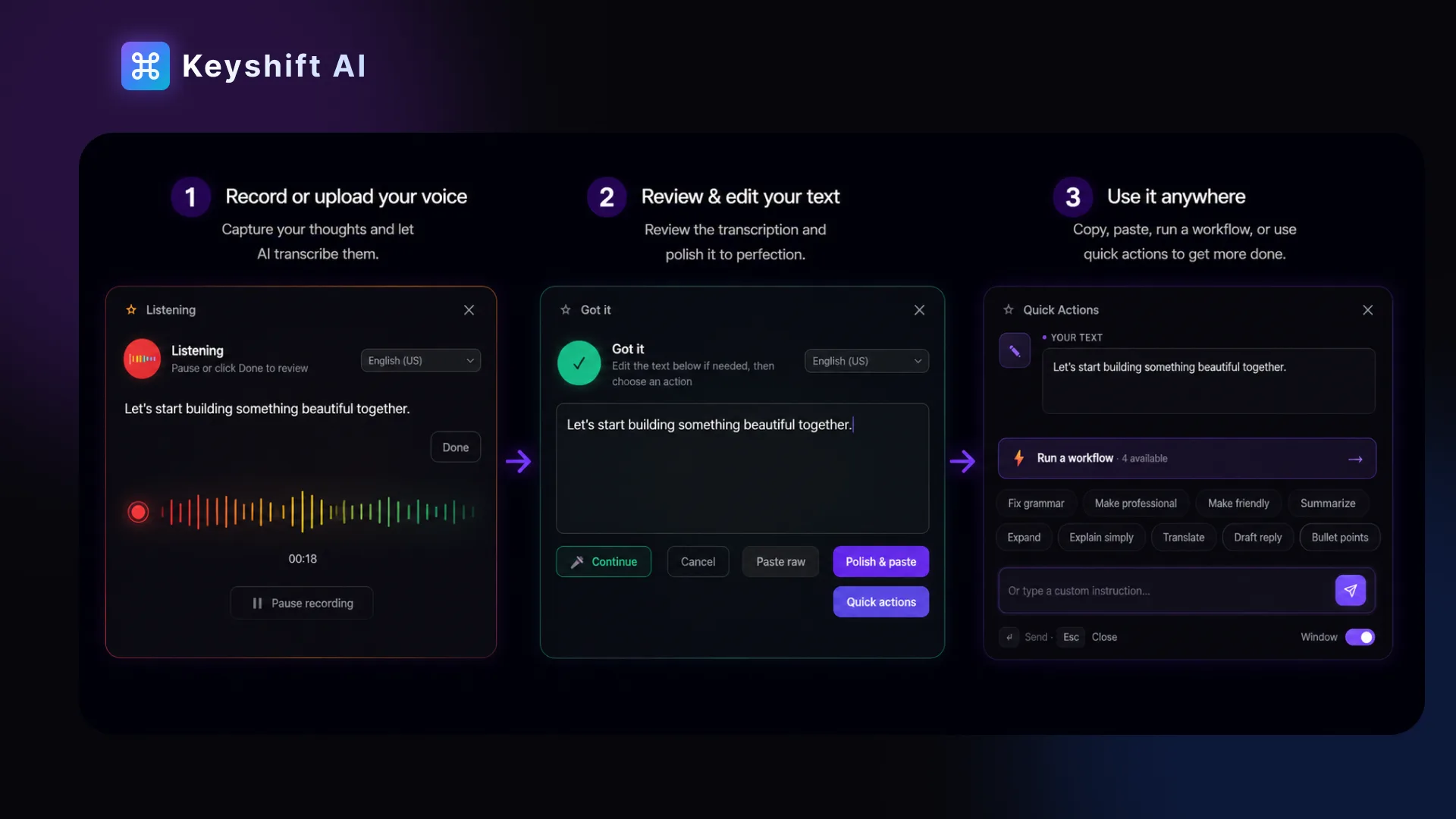
Furthermore, Keyshift AI supports Quick Actions, allowing you to perform faster operations with voice input and multi-step workflows. This means you can efficiently modify your text across various platforms, saving time and maintaining consistency in your communication.
The integration is smooth, and the setup empowers you to leverage powerful AI functionalities directly within your familiar software, making writing tasks more efficient and less cumbersome.
How to use Keyshift AI?
Getting started with Keyshift AI is straightforward. Follow these simple steps to maximize its potential:
- Download and install Keyshift AI on your Windows or Mac system.
- Open any application where you want to enhance your text input.
- Type ‘keyshift’ in a text field and double press the spacebar to initiate AI functions.
- Choose to rewrite, translate, or summarize with integrated AI tools.
- Customize shortcuts for frequent actions to streamline your workflow further.
Key Differentiators
Keyshift AI stands out from platforms like Copy.ai, Grammarly, and WisprFlow by offering instant AI activation across any app. Unlike alternatives that require switching to a separate interface, Keyshift AI integrates directly into your existing applications, saving time and boosting convenience.
Moreover, the unique multi-step workflow capability allows users to customize processes, which is not commonly found in its competitors. This flexibility means users can tailor the AI experience to fit their unique needs, making Keyshift AI a versatile tool for sophisticated writing tasks.
Pros and Cons
Pros
- Instant AI integration in any app.
- Customizable shortcuts for efficiency.
- Multi-step workflows for personalized processes.
- Compatible with both Windows and Mac platforms.
- Affordable lifetime deal with a significant discount.
Cons
- Minor UI readability issues for some users.
- Initial setup may present challenges for less tech-savvy individuals.
Overall, while Keyshift AI has some minor drawbacks, its extensive benefits make it a valuable tool for enhancing writing productivity. With continuous updates, users can expect improvements over time.
Who Is It For?
Keyshift AI is ideal for content creators, copywriters, and solopreneurs who often switch between various applications. These users will benefit from the convenience of having AI features directly available in their favorite tools. With its ability to enhance writing tasks instantly, it is an excellent choice for professionals who value productivity and efficiency.
Furthermore, it suits those who are looking for a cost-effective way to integrate AI capabilities without the need for multiple subscriptions. Its educational value also adds to its appeal for individuals seeking to improve their writing skills through technology.
Product images
At a glance
| Alternative to |
Copy.aiGrammarlyWisprFlow
|
|---|---|
| Best for |
Content creatorsCopywritersSolopreneurs
|
Is it worth it?
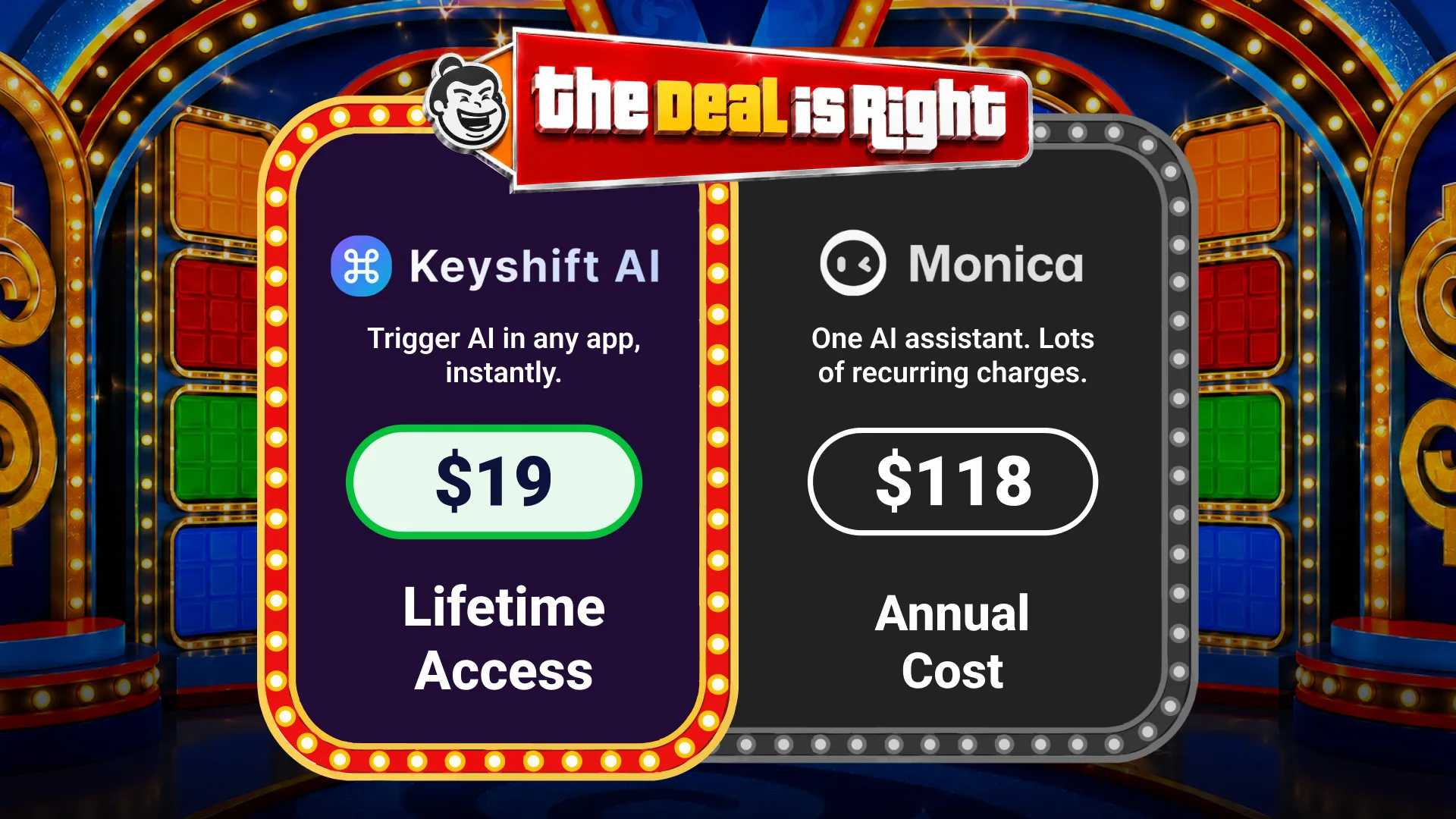
When considering whether Keyshift AI is worth the investment, it’s important to recognize its strengths. Content creators and solopreneurs will find significant value in its ability to seamlessly integrate AI capabilities. At just $19 vs the original $70, the price-value ratio is highly favorable.
Additionally, with lifetime updates and a 60-day money-back guarantee, it’s a compelling choice for anyone aiming to enhance their writing productivity. Ultimately, Keyshift AI represents a smart alignment of cost and functionality, proving to be a valuable tool for tech-savvy writers.

About Endri Demiraj
Compared to alternatives
| Feature | Keyshift AI | Copy.ai | Grammarly | WisprFlow |
|---|---|---|---|---|
| Instant Integration | Yes | No | No | No |
| Custom Shortcuts | Yes | No | Yes | No |
| Multi-step Workflows | Yes | No | No | Yes |
| Platform Compatibility | Windows, Mac | Web | Web, Extension | Web |
* Based on publicly available information.
What users are saying
What users like
Users appreciate the seamless integration of Keyshift AI with existing applications, eliminating the need to switch interfaces. Most reviewers highlight the efficiency gained through customizable shortcuts and the ability to enhance writing tasks directly where needed. The positive experience is often attributed to the product’s versatility and AI-driven capabilities.
Common concerns
Common concerns include minor difficulties with user interface readability and initial setup processes, particularly for individuals less familiar with technology. A few users have also mentioned a learning curve when familiarizing themselves with all features.
FAQ
How do I integrate Keyshift AI with my apps?
Install Keyshift AI on your system, and it will work across any app where you input text.
Is there a trial period for Keyshift AI?
While there’s no separate trial, you have a 60-day money-back guarantee for peace of mind.
Can I upgrade my Keyshift AI plan?
Yes, you can upgrade to a higher tier plan while the deal is active.
What if I encounter issues during setup?
Technical support is available to assist you, ensuring a smooth integration process.
Are there ongoing updates to the software?
Yes, purchasing includes all future updates to the Lifetime or Pro plans.
Deal Terms
- Lifetime access to Keyshift AI
- All future Lifetime (Tier 1) or Pro (Tiers 2-5) Plan updates
- If Plan name changes, deal will be mapped to the new Plan name with all accompanying updates
- No codes, no stacking—just choose the plan that’s right for you
- You must activate your license within 60 days of purchase
- Ability to upgrade between 5 license tiers while the deal is available
- Ability to downgrade between 5 license tiers within 60 days of purchase
Related products
OpenGraph: Scale Branded OG Images
OpenGraph is a powerful tool designed to generate branded Open Graph images at scale. This platform offers businesses the ability to create...
UseArticle: Automate SEO Content
UseArticle is a tool that automates the generation of SEO-optimized affiliate content. This innovative platform enables users to streamline their blogging efforts...
LinkCentral: Smart Short Links
LinkCentral is a platform that offers smarter short links for affiliates and bloggers looking to track clicks and redirect users effectively within...