PDF Reader Pro for Windows: All-in-One PDF Tool
Quick summary
- Features all-in-one PDF management.
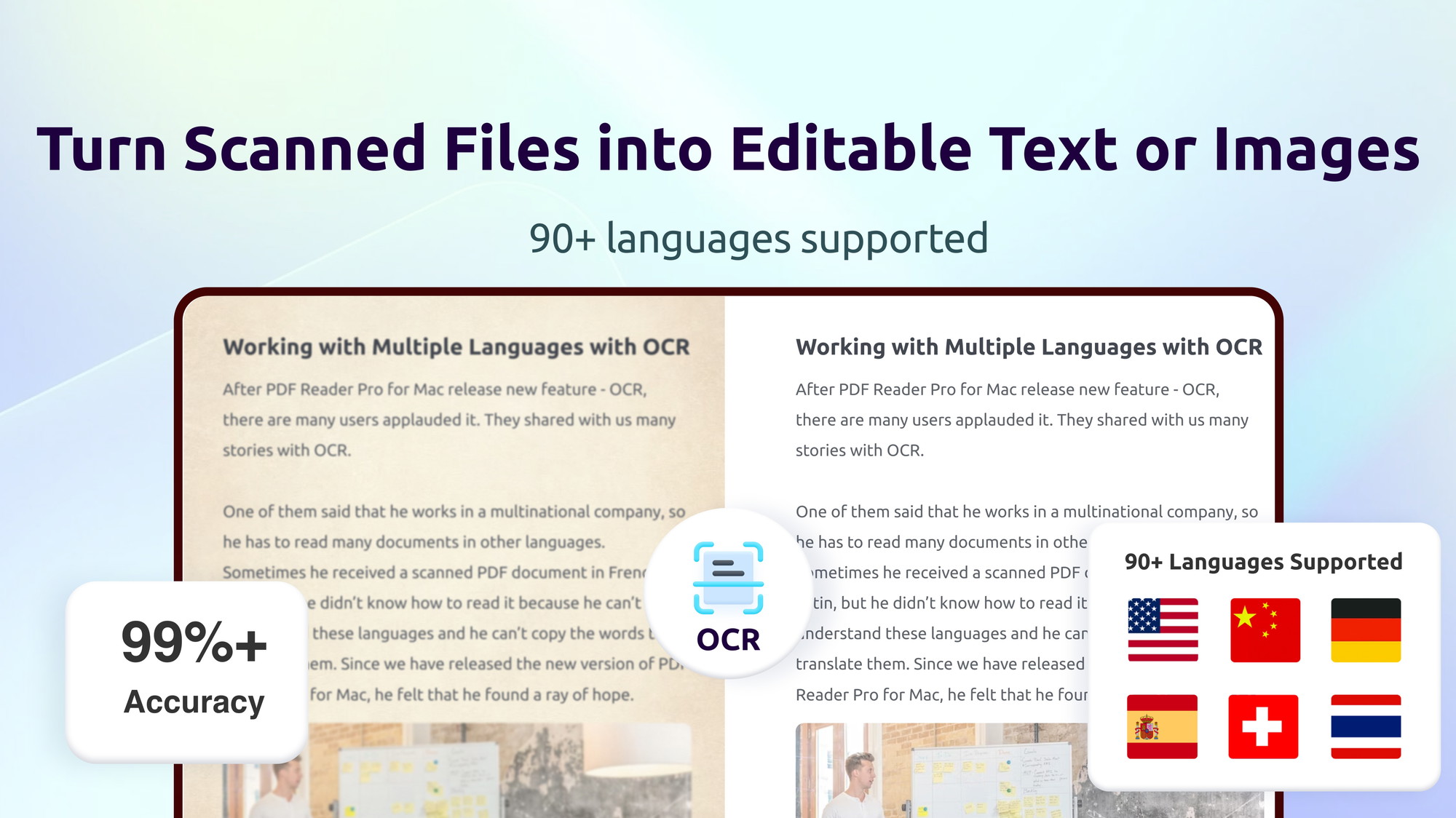
- Offers OCR for scanned documents.
- Includes annotation and signing tools.
- Compatible with multiple viewing modes.
- Affordable alternative to other PDF tools.
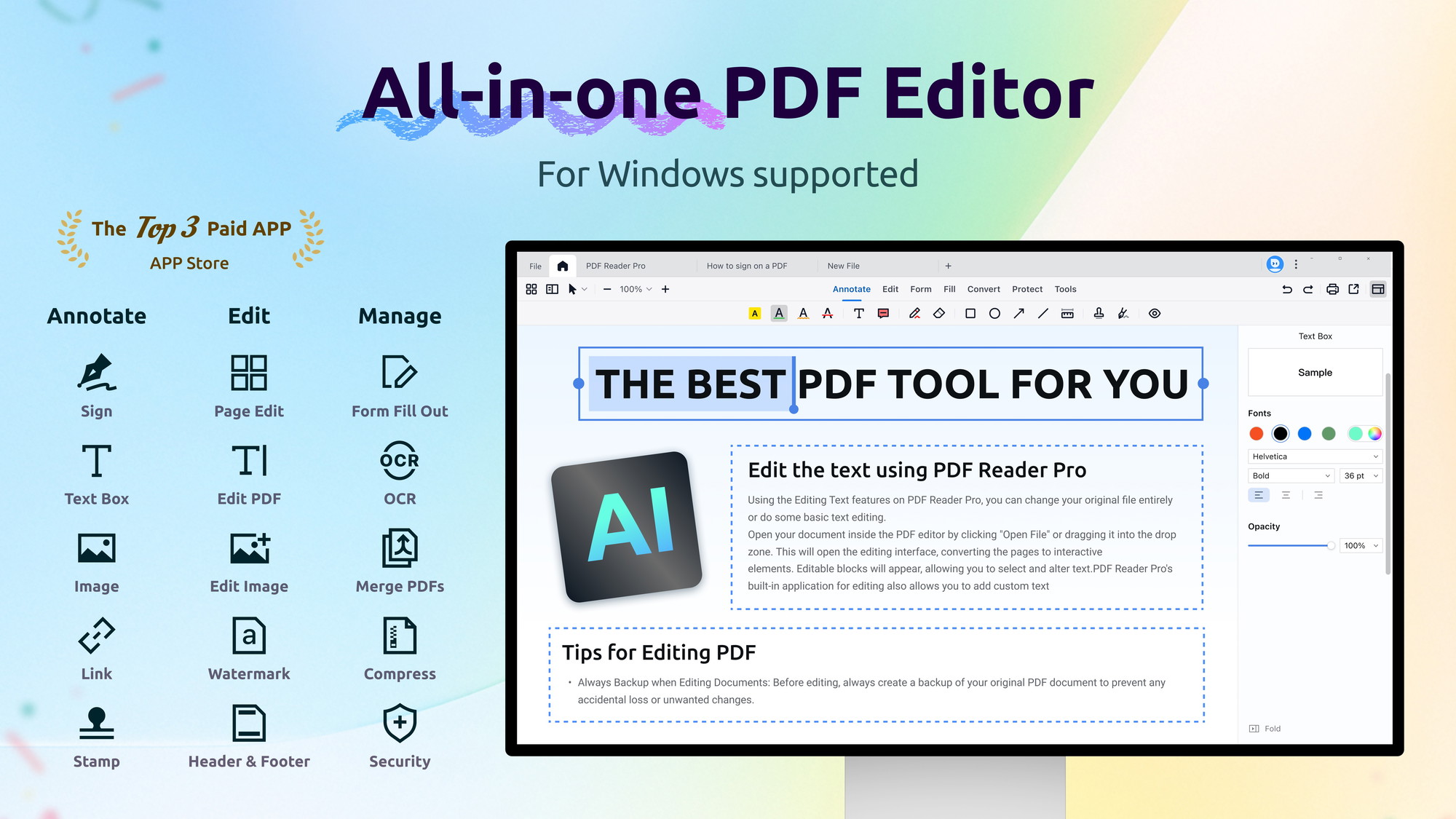
PDF Reader Pro for Windows is an all-in-one PDF office that delivers seamless reading, editing, and management of PDF files. This versatile tool is designed to simplify handling PDFs by providing an array of features such as annotation, conversion, OCR, and digital signing. With its multiple functionalities, it suits educators, freelancers, and small businesses looking for a comprehensive PDF solution.
At its current price of $59.99, down from $79.99, PDF Reader Pro for Windows offers a cost-effective option for those needing a robust PDF tool. The software’s ability to recognize texts from images and scanned documents using OCR stands out, making it a practical choice for document-heavy tasks. Explore the benefits of integrating such a powerful PDF management tool into your workflow with confidence, backed by a 60-day money-back guarantee.
What PDF Reader Pro for Windows Does?
PDF Reader Pro for Windows is a comprehensive tool designed to streamline PDF management tasks. It allows users to read, edit, annotate, convert, and organize PDFs with ease. This software includes OCR capabilities to scan and convert image-based documents into editable text, making it a perfect choice for educational and business needs.
The platform’s interface supports a multi-tab viewer and split view, enabling users to compare multiple documents simultaneously. With customizable themes like Light Mode, Dark Mode, and more, users can adjust their view for optimal comfort during long sessions.
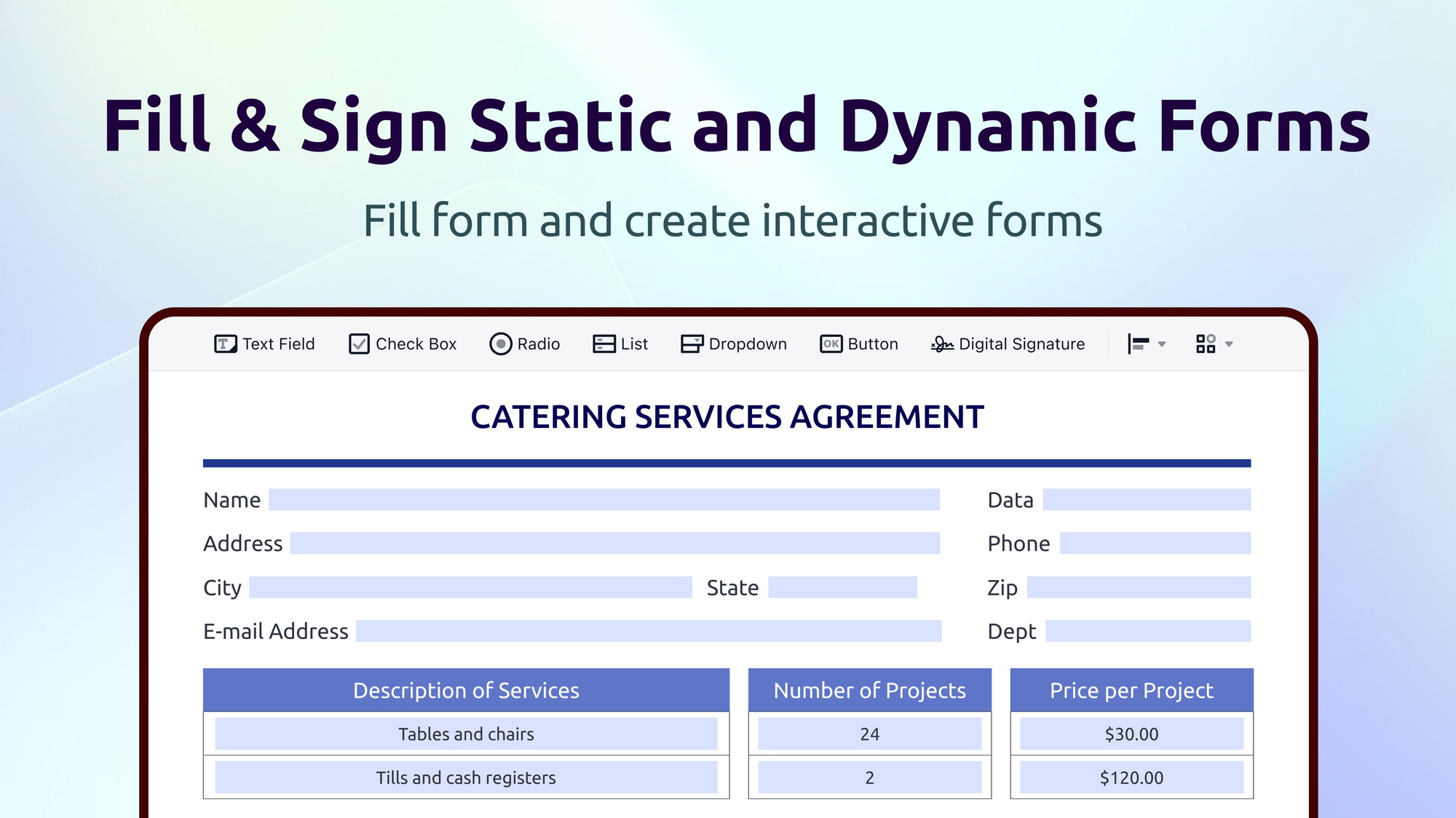
From merging documents to filling and signing forms, PDF Reader Pro for Windows offers an extensive suite of tools to enhance productivity and document handling efficiency.
How to use PDF Reader Pro for Windows?
Utilizing PDF Reader Pro for Windows is intuitive and straightforward. Here’s how you can start:
- Open the software and select the PDF you want to work on.
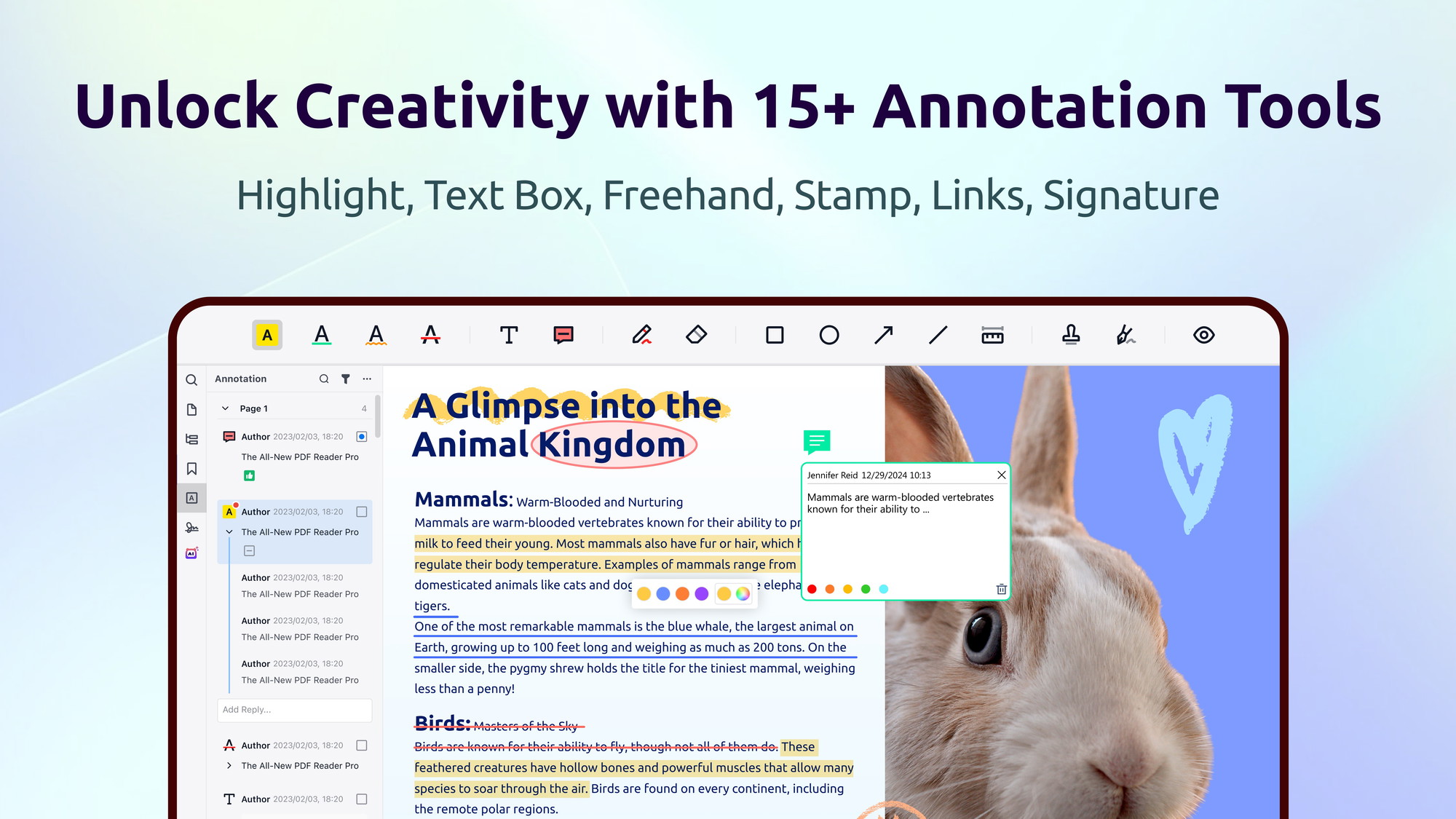
- Use the annotation tools to add comments, highlights, and notes.
- Convert documents by selecting ‘Convert to PDF’ or ‘OCR PDF’ for text from images.
- Fill and sign forms digitally by using the appropriate form tool.
- Manage your documents using the multi-tab and split view functions for comparison.
Key Differentiators
PDF Reader Pro for Windows sets itself apart from Adobe Acrobat Pro with its cost-effectiveness and broad feature set tailored for small businesses and individual users. Unlike its competitor, it provides an easy-to-use interface with customizable viewing themes and a multi-tab view, enhancing user experience and productivity.
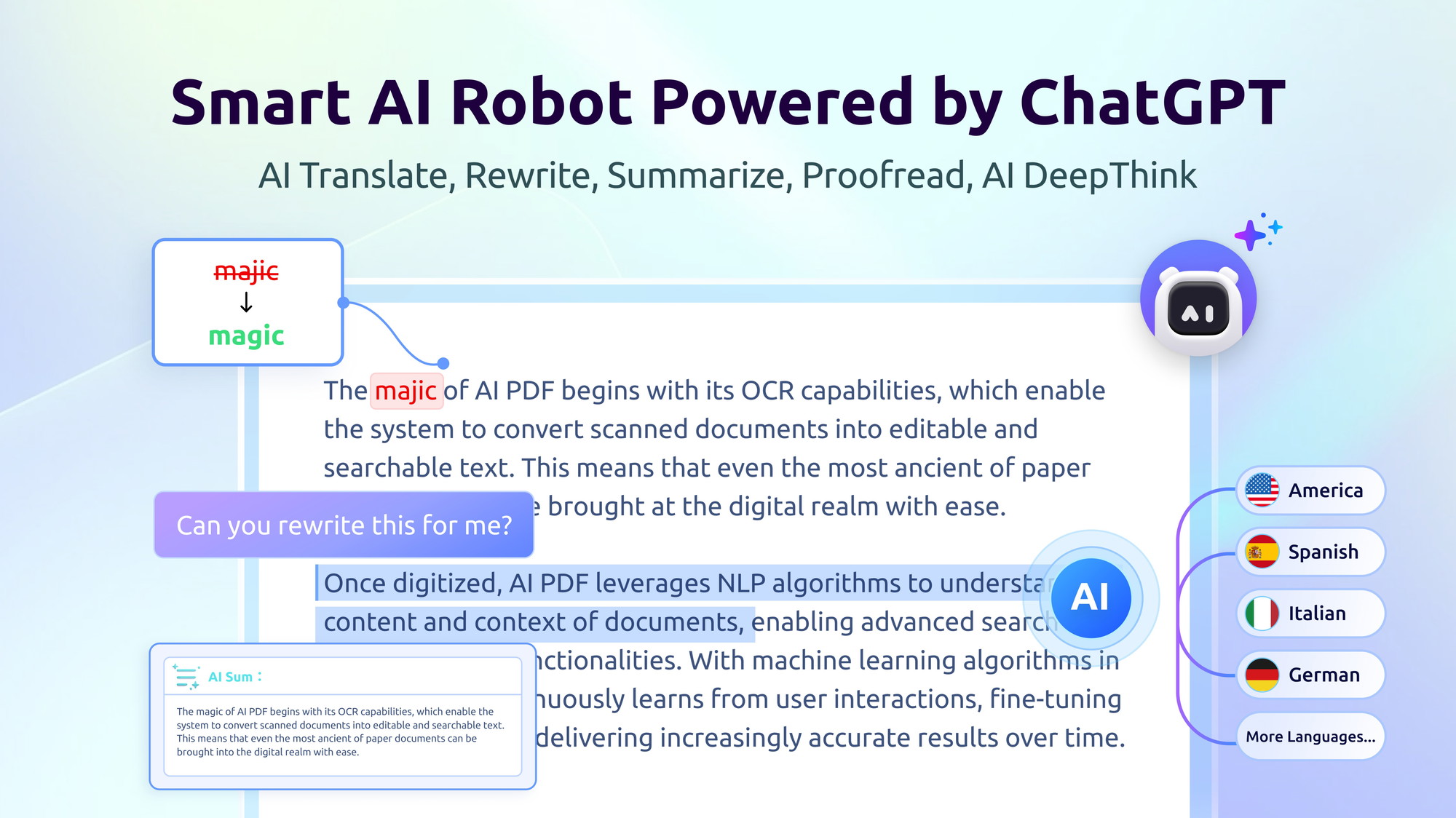
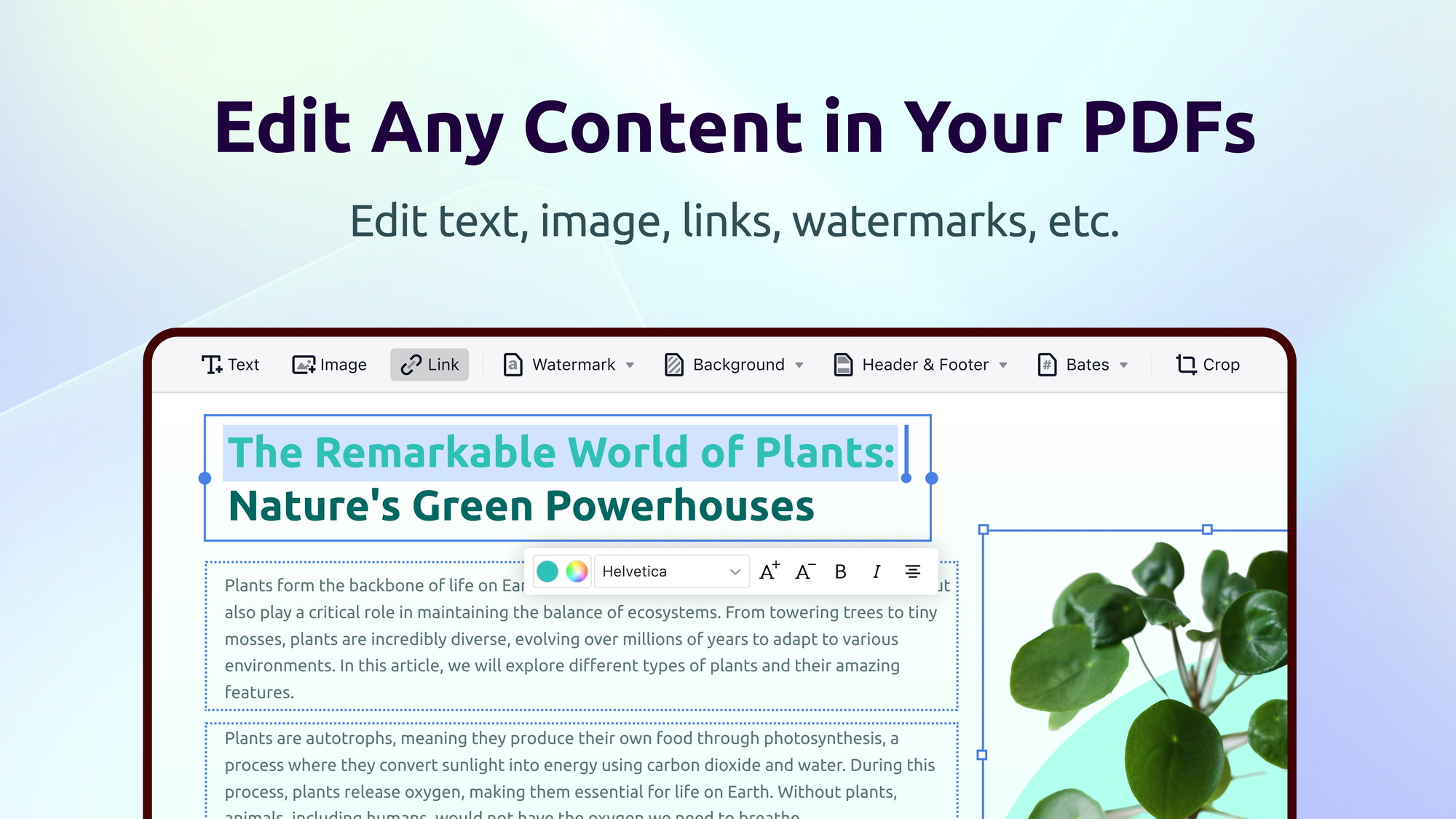
Moreover, the OCR feature in PDF Reader Pro for Windows offers a unique advantage, transforming scanned documents into editable text efficiently. The platform’s ability to fill, edit, and sign Adobe fillable PDF forms as well as add watermarks further distinguishes it as a comprehensive PDF management tool.
Pros and Cons
Pros
- All-in-one PDF solution with diverse features.
- Effective OCR for text recognition.
- Customizable themes for a personalized experience.
- Competitive pricing compared to alternatives.
- Multi-tab and split view for improved workflow.
Cons
- Some users experience slow loading times.
- Occasional software instability reported.
Despite some drawbacks, PDF Reader Pro for Windows offers robust features that cater to a wide range of needs. Its all-inclusive nature makes it a valuable asset for those looking to manage PDFs effectively.
Who Is It For?
PDF Reader Pro for Windows is ideal for educators, freelancers, and small business owners who require an efficient and affordable solution for handling PDF files. Its diverse feature set accommodates various professional needs, from document editing to digital signing, with ease.
For users dealing with large volumes of documents, the tool’s OCR capabilities and file organization features make it a top choice. Whether you’re an educator preparing lesson materials or a business owner managing contracts, PDF Reader Pro for Windows offers practical solutions suited to your workflow.
Product images
At a glance
| Alternative to |
Adobe Acrobat Pro
|
|---|---|
| Integrations |
Outlook
|
| Best for |
EducatorsFreelancersSmall businesses
|
Is it worth it?
Is PDF Reader Pro for Windows worth it? For users in need of a comprehensive, cost-effective tool for managing PDFs, PDF Reader Pro for Windows is an attractive option. Its wide array of features serves educators, freelancers, and small businesses well, offering a balance of functionality and affordability.
Although there are some performance concerns, the software’s robust features, including OCR and document merging, make it a practical investment. Priced at $59.99 with lifetime access, compared to higher market alternatives, this product offers excellent value for those managing extensive PDF workflows.

About PDF TECHNOLOGIES, INC.
Compared to alternatives
| Feature | PDF Reader Pro for Windows | Adobe Acrobat Pro |
|---|---|---|
| OCR Capabilities | Available | Available |
| Customizable Themes | Available | Limited |
| Pricing | $59.99 (Lifetime) | $179.88/year |
| Multi-tab and Split View | Available | Available |
* Based on publicly available information.
What users are saying
What users like
Users report that PDF Reader Pro for Windows impresses with its versatility and comprehensive feature set, allowing seamless PDF management. Most reviewers highlight the platform’s ability to handle OCR and make document editing simple and effective.
Common concerns
While praised for its capabilities, some mention occasional slow loading times and minor software stability issues. Despite these, users find the solutions offered by PDF Reader Pro for Windows highly beneficial.
FAQ
Does PDF Reader Pro for Windows support batch processing?
PDF Reader Pro for Windows allows users to manage multiple files, but detailed batch processing features are limited compared to dedicated tools.
How does the OCR feature work?
The OCR feature converts scanned or image-based text into editable formats, enhancing document accessibility.
What platforms is this software compatible with?
Currently, PDF Reader Pro for Windows operates on Windows platforms only, with future expansions potentially including others.
Is there a trial version available?
While there is no specific trial version, the product is backed by a 60-day money-back guarantee allowing risk-free exploration.
How do I redeem my purchase code?
After purchase, codes must be redeemed within 60 days to activate lifetime access to the software.
Deal Terms
- Lifetime access to PDF Reader Pro for Windows
- You must redeem your code(s) within 60 days of purchase
- All future PDF Reader Pro for Windows Plan updates
- This deal is not stackable
Related products

Smart Spreadsheets: Unlock Automation
Smart Spreadsheets is a tool that lets you unlock enterprise-level automation directly within Google Sheets. With its powerful capabilities, bloggers, content creators,...
Smart Spreadsheets: Unlock Automation
Smart Spreadsheets is an innovative tool that empowers users to automate tasks within Google Sheets. Designed for bloggers, content creators, and marketers,...
Smart Spreadsheets: Unlock Automation
Smart Spreadsheets is an innovative tool that enables you to unlock enterprise-level automation without leaving your Google Sheets. Ideal for bloggers, content...