WP 301 Redirects: Automatic Redirect Setup
Quick summary
- Improves SEO by fixing broken links.
- Centralized dashboard for easy management.
- Automatic redirection setup saves time.
- Monitors multiple sites effectively.
WP 301 Redirects is a tool that automatically sets up redirects to improve your website’s SEO and user experience. It efficiently manages broken links, site redirects, and 404 errors. Tailored for developers, marketers, and web design agencies, it offers a seamless way to optimize site navigation.
Using enhanced link management, WP 301 Redirects offers superior control over website pathways. With integrations like Google Safe Browsing and WordPress, it is an indispensable plugin for anyone serious about web management.
What WP 301 Redirects Does?
WP 301 Redirects is designed to streamline the management of links on your WordPress site. It automatically redirects mistyped URLs, avoiding 404 errors and improving user experience. This means less manual work for you and a more successful browsing journey for your visitors.
Additionally, WP 301 Redirects scans for broken or dangerous links, ensuring your site maintains optimal performance and security. With outgoing link optimization, it’s a tool that enhances both SEO and user engagement.
Centralized management of website links allows users to monitor and control all redirects from a single dashboard, making it an efficient solution for complex web structures. The improved organization ensures visitors reach their intended destinations effortlessly.
How to use WP 301 Redirects?
WP 301 Redirects is intuitive and easy to integrate into your daily site management routine. Follow these steps to get started:
- Install the plugin on your WordPress site and activate it.
- Access the centralized dashboard to configure site settings and manage redirects.
- Scan for broken links and set up automatic redirects for these URLs.
- Monitor link performance and optimize outgoing links for SEO benefits.
- Use the white labeling feature to maintain brand consistency if managing client sites.
Key Differentiators
WP 301 Redirects stands apart with its comprehensive link management capabilities. Unlike alternatives, it offers a centralized dashboard for monitoring all site redirects, providing a cohesive view of link performance across multiple sites.
Moreover, the integration with Google Safe Browsing ensures that your site remains free of harmful links. The plugin’s intuitive interface makes it easier for teams to adapt, making it a practical choice for developers and marketers seeking efficiency.
Pros and Cons
Pros
- Comprehensive link management.
- Easy-to-use centralized dashboard.
- Integration with Google Safe Browsing.
- Automatic redirection setup saves time.
Cons
- Some users report speed issues.
- Unexpected redirects may occur.
Overall, WP 301 Redirects is a solid choice for those who need a robust and reliable tool for improving SEO and managing site-redirection effortlessly.
Who Is It For?
WP 301 Redirects is perfect for developers and web design agencies who manage multiple sites and need a reliable way to handle redirects and broken links. Its centralized dashboard simplifies monitoring, making it a valuable tool for optimizing large site networks.
Marketers, too, can benefit from WP 301 Redirects by enhancing their site’s user experience and boosting SEO rankings. It is designed to offer an easy way to track warning signs and address link-related issues efficiently.
See the product in action
Product images


Is it worth it?
WP 301 Redirects offers valuable SEO enhancements with its automatic redirect capabilities. For developers and marketers, the tool simplifies the management of site links, reducing the chances of 404 errors. At just $49 compared to the original $158, it is priced competitively for its features.
While minor speed issues and occasional unexpected redirects exist, the benefits outweigh the drawbacks for most users. When considering its functionality and ease of use, WP 301 Redirects stands as a worthwhile investment for those serious about site optimization.

About WebFactory LTD (WP Reset, Coming Soon, WP 301 Redirects)
Compared to alternatives
| Feature | WP 301 Redirects | Redirection | Broken Link Checker |
|---|---|---|---|
| Automatic Redirects | Yes | Yes | No |
| Central Dashboard | Yes | No | No |
| Google Safe Browsing | Yes | No | No |
| Integration with WordPress | Yes | Yes | Yes |
| White Labeling | Yes | Yes | No |
* Based on publicly available information.
What users are saying
What users like
Users report ease of use, efficient link management, and the comprehensive nature of WP 301 Redirects. Many highlight its ability to automate the redirection process as a significant time-saver. The intuitive interface is frequently noted as being user-friendly.
Common concerns
Some users mention occasional speed issues and unexpected redirects but generally acknowledge these as minor compared to the tool’s overall utility. Users wish for faster improvements in these areas.
FAQ
Can WP 301 Redirects integrate with other tools?
Yes, it integrates with Google Safe Browsing and is compatible with WordPress.
Is there a limit to the number of redirects?
You can manage up to 20 sites, making it suitable for multiple projects.
Are updates included in the deal?
All future Team Plan updates are included.
How does WP 301 Redirects handle 404 errors?
It automatically redirects mistyped URLs, preventing users from encountering 404 errors.
What support is available if I need help?
Support options are available, offering assistance to ensure you get the most out of the tool.
Deal Terms
- Lifetime access to WP 301 Redirects
- All future Team Plan updates
- No codes, no stacking needed
- Choose the plan that’s right for you
- GDPR compliant
Related products

Screpy – Plus Exclusive: AI Website Optimization
Screpy - Plus Exclusive is an AI-based SEO and web analysis tool designed to monitor and optimize your website efficiently. By integrating...

SEO Generator: 1000+ Pages Instantly
SEO Generator is a powerful WordPress plugin designed to streamline the creation of SEO landing pages. By leveraging intuitive technology, it helps...
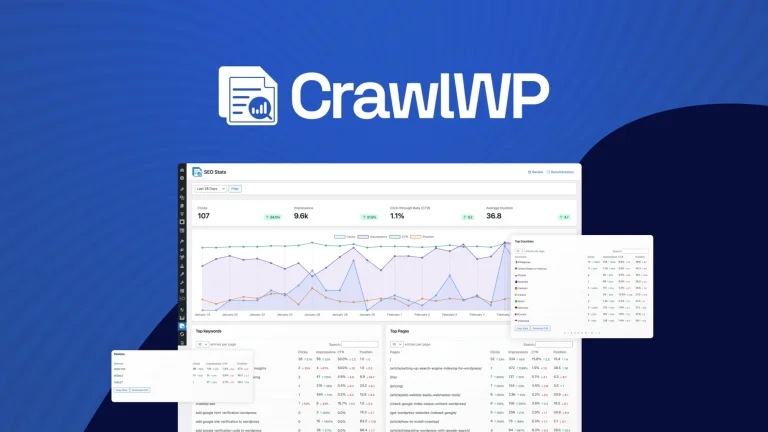
CrawlWP: Instant SEO Boost
CrawlWP is a WordPress plugin that boosts your SEO by instantly indexing your content. With seamless integration into Google Search Console, this...