Learn To Code In Google Sheets by Better Sheets: Learn To Code In Google Sheets: Start Coding
Quick summary
- Unlock script editor in Google Sheets.
- Write and automate scripts easily.
- Perfect for educators and freelancers.
Learn To Code In Google Sheets by Better Sheets is a straightforward introduction to writing scripts within Google Sheets. With a focus on core principles, this guide is perfect for anyone looking to automate tasks without prior coding experience. Educators, freelancers, and task automation enthusiasts will find value in its clear instructions and accessible approach.
This course offers insight into Google Sheets’ script editor, encouraging users to explore automation and coding basics. At an affordable price, it’s a notable investment for those eager to enhance spreadsheet capabilities.
What Learn To Code In Google Sheets by Better Sheets Does?
Learn To Code In Google Sheets by Better Sheets offers users a fundamental understanding of how to write scripts within Google Sheets. The course focuses on a secret feature: the Google Sheets script editor. This tool empowers users to automate everyday tasks directly from their spreadsheets.
For beginners, this guide introduces the necessary coding concepts to write, test, and execute scripts without overwhelming technical jargon. The step-by-step structure ensures a comfortable learning curve and provides practical examples to solidify understanding.
Integrating scripting into Google Sheets simplifies tasks, enhances control over data, and improves workflow efficiency. As you engage with the course, you’ll unlock script automation potential, applying what you learn directly to your projects.
How to use Learn To Code In Google Sheets by Better Sheets?
To get started with this course, follow these basic steps:
- Purchase access through the lifetime deal and redeem your code within 60 days.
- Download course materials and review the introductory videos to familiarize yourself with Google Sheets scripting.
- Explore the script editor and experiment with writing simple scripts to gain hands-on experience.
- Implement automation scripts in your own sheets to see the tangible benefits.
- Incorporate feedback from course updates to stay abreast of new scripting techniques and tools.
Key Differentiators
One key differentiator of Learn To Code In Google Sheets by Better Sheets is its focus on accessibility for beginners. Unlike more advanced courses, its gentle introduction to coding principles ensures that even users with limited technical backgrounds can engage and succeed.
Moreover, integration with Google Sheets allows users to apply skills immediately in a familiar environment, reducing the learning curve. The blend of visual explanations and practical applications offers a unique learning experience tailored to both personal and professional uses.
Pros and Cons
Pros
- Accessible introduction to coding for non-coders
- Hands-on script writing within Google Sheets
- Practical automation tips for increased workflow efficiency
Cons
- Limited advanced content for seasoned coders
- Repetitive sections for those with some coding experience
‘Learn To Code In Google Sheets by Better Sheets‘ strikes a balance between providing basic guides to novice users while potentially lacking depth for advanced learners. It’s a solid choice for entry-level exploration into Google Sheets scripts.
Who Is It For?
This course is ideal for educators and freelancers who wish to automate routine tasks within their existing Google Sheets workflows. Those working to improve task efficiency, manage data better, or create personalized automation solutions will benefit most.
Individuals wanting to gain coding confidence without enrolling in extensive programming courses will find the ‘Learn To Code In Google Sheets by Better Sheets’ approach both inviting and rewarding.
Product images

At a glance
| Integrations |
Google Sheets
|
|---|---|
| Best for |
EducatorsFreelancersTask Automation
|
Is it worth it?
For those seeking a cost-effective introduction to Google Sheets scripting, ‘Learn To Code In Google Sheets by Better Sheets’ is a smart investment. Priced at just $5, it’s accessible for beginners new to coding. While it might lack advanced depth, its value lies in teaching fundamental skills. Perfect for educators and freelancers looking to streamline tasks, this course offers a practical start into the world of scripting.

Compared to alternatives
| Feature | Learn To Code In Google Sheets by Better Sheets | [Competitor 1] | [Competitor 2] |
|---|---|---|---|
| Pricing | $5 one-time | $15 subscription | $20 one-time |
| Access | Lifetime access | Monthly access | 6 months access |
| Scripting Level | Beginner | Intermediate | Advanced |
| Script Examples | Basic examples | Varied examples | Comprehensive examples |
* Based on publicly available information.
What users are saying
What users like
Users report that ‘Learn To Code In Google Sheets by Better Sheets’ offers simple and clear instructions, making it easy to grasp essential scripting concepts. Many highlight its practical approach and quick pace, allowing learners to see immediate results in their spreadsheets.
Common concerns
Some mention repetition in the content, wishing for more depth in advanced topics. A few also pointed out the desire for additional real-world examples to test learned skills in broader contexts.
FAQ
How can I access the course materials?
After purchasing, you’ll receive an access code to redeem on the platform. Follow instructions to access all materials.
Is there a time limit to redeem the course?
Yes, you must redeem your code within 60 days of purchase.
Does the course cover advanced scripting?
The course primarily focuses on basic scripting introduction, making it ideal for beginners rather than advanced users.
Will I get updates to the course content?
Yes, you will receive all future updates to the ‘Learn To Code In Google Sheets: An Introduction to Google Scripts Plan’.
Can I request a refund if I’m not satisfied?
This deal is non-refundable, so consider your decision carefully before purchasing.
Deal Terms
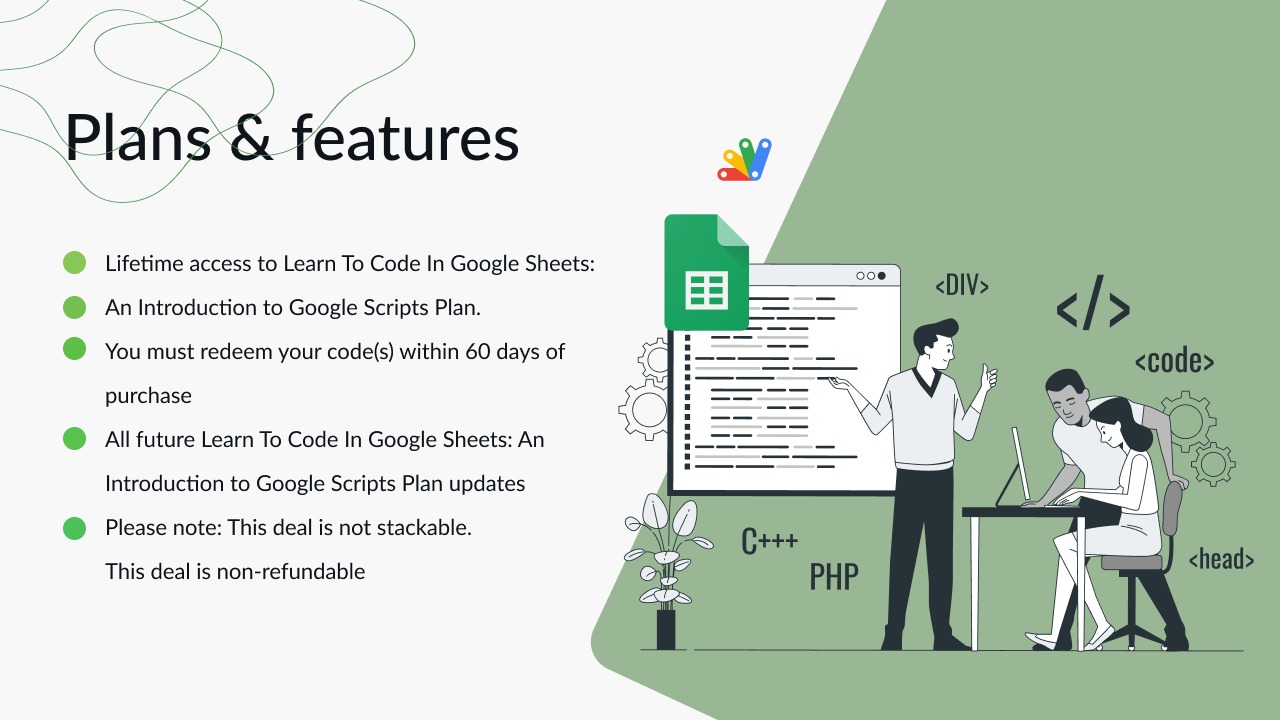
- Lifetime access to Learn To Code In Google Sheets: An Introduction to Google Scripts Plan
- You must redeem your code(s) within 60 days of purchase
- All future Learn To Code In Google Sheets: An Introduction to Google Scripts Plan updates
- This deal is not stackable
- This deal is non-refundable
Related products

Learn To Code In Google Sheets by Better Sheets: Learn To Code In Google Sheets: Simplify Tasks
Learn To Code In Google Sheets by Better Sheets is an easy-to-follow guide that demystifies Google Sheets scripting. With this resource, you'll...

$1 Million Online Business: How Jack Butcher Productized Himself: One-Person Biz
$1 Million Online Business: How Jack Butcher Productized Himself is an insightful guide into building a self-driven, million-dollar business. Learn how Jack...

Tribe.Spot: Fast Funnel Building
Tribe.Spot is a versatile platform for building courses, communities, funnels, and storefronts with ease. Designed to accommodate various content creators, Tribe.Spot combines...