Blurweb App: Instant Data Privacy
Quick summary
- Blur data instantly during web interactions.
- Simplifies privacy for screen recordings.
- Integrates seamlessly with major platforms.
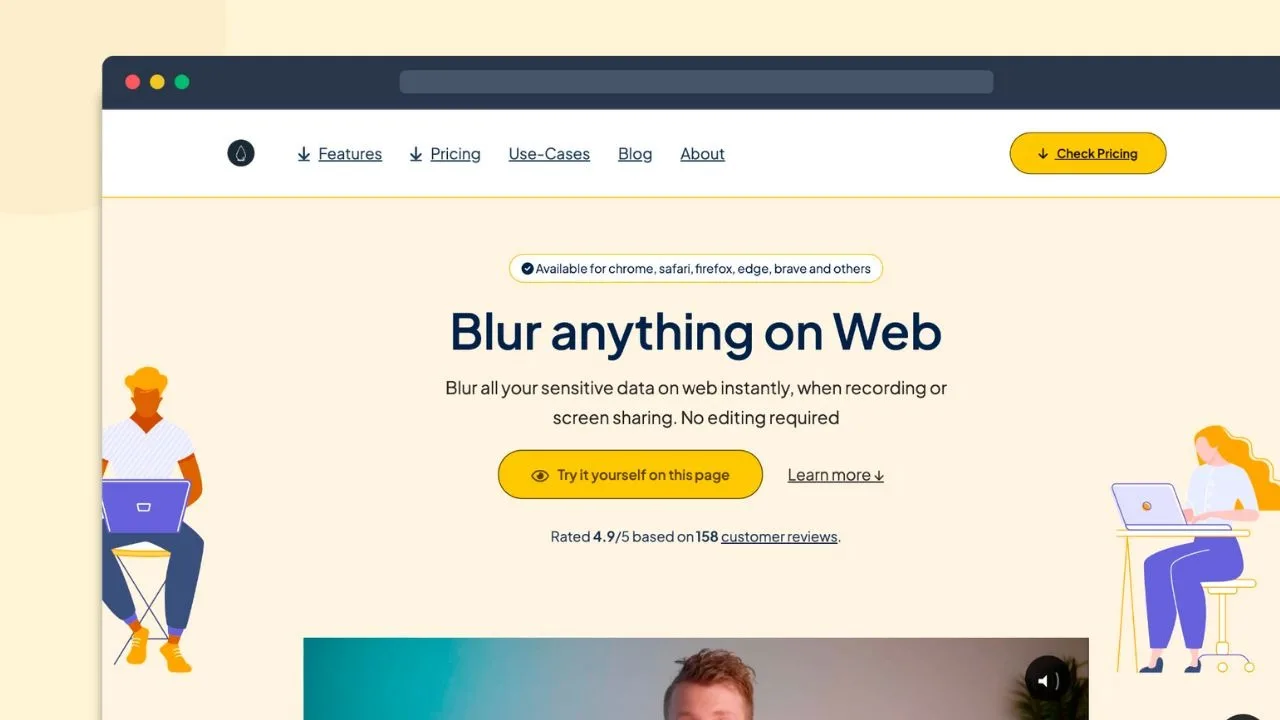
Blurweb App is a simple yet powerful tool designed to instantly blur sensitive data on web pages during recordings or screen sharing. Featuring a high user rating, it offers a reliable solution for content creators and customer support professionals. With seamless integrations, this app ensures privacy without the hassle of editing.
This affordable tool provides key features that cater to varied needs, whether presenting sensitive information online or maintaining professional confidentiality.
What Blurweb App Does?
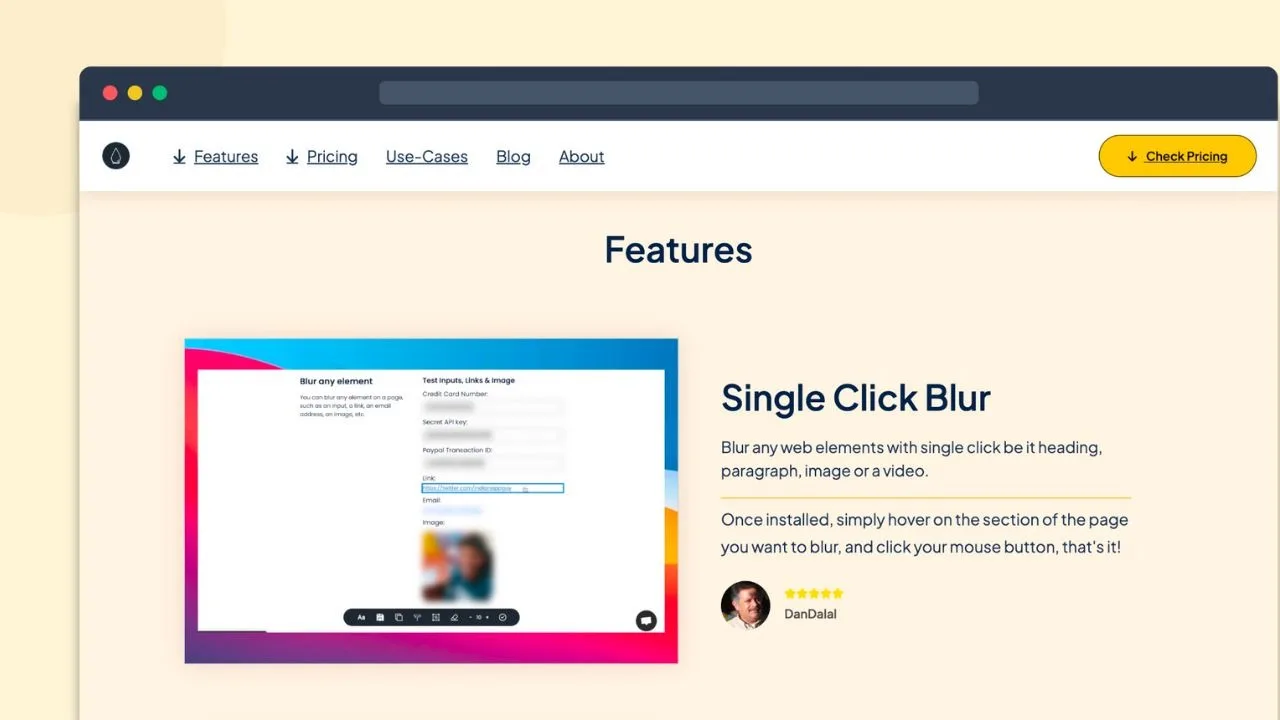
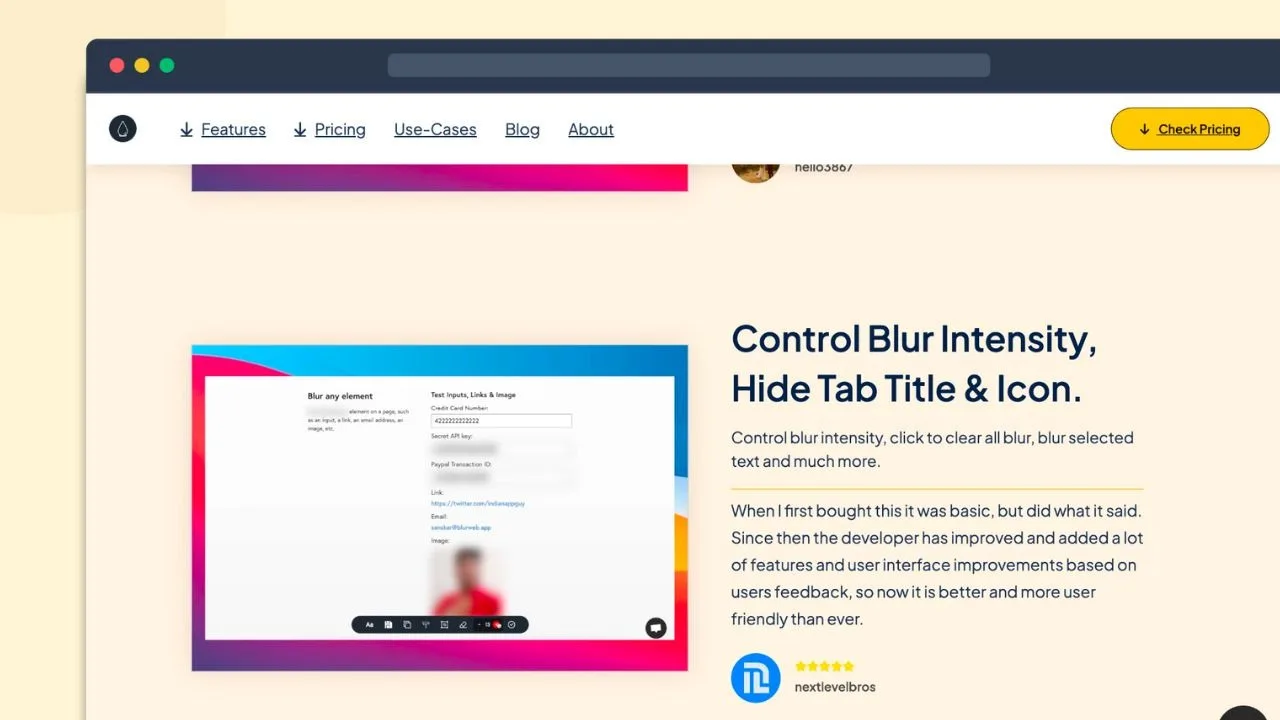
Blurweb App provides an easy solution for anyone looking to maintain data privacy during web interactions, such as screen recordings or live presentations. It functions as a browser extension that lets users blur sensitive information with a single click, eliminating the need for post-editing.
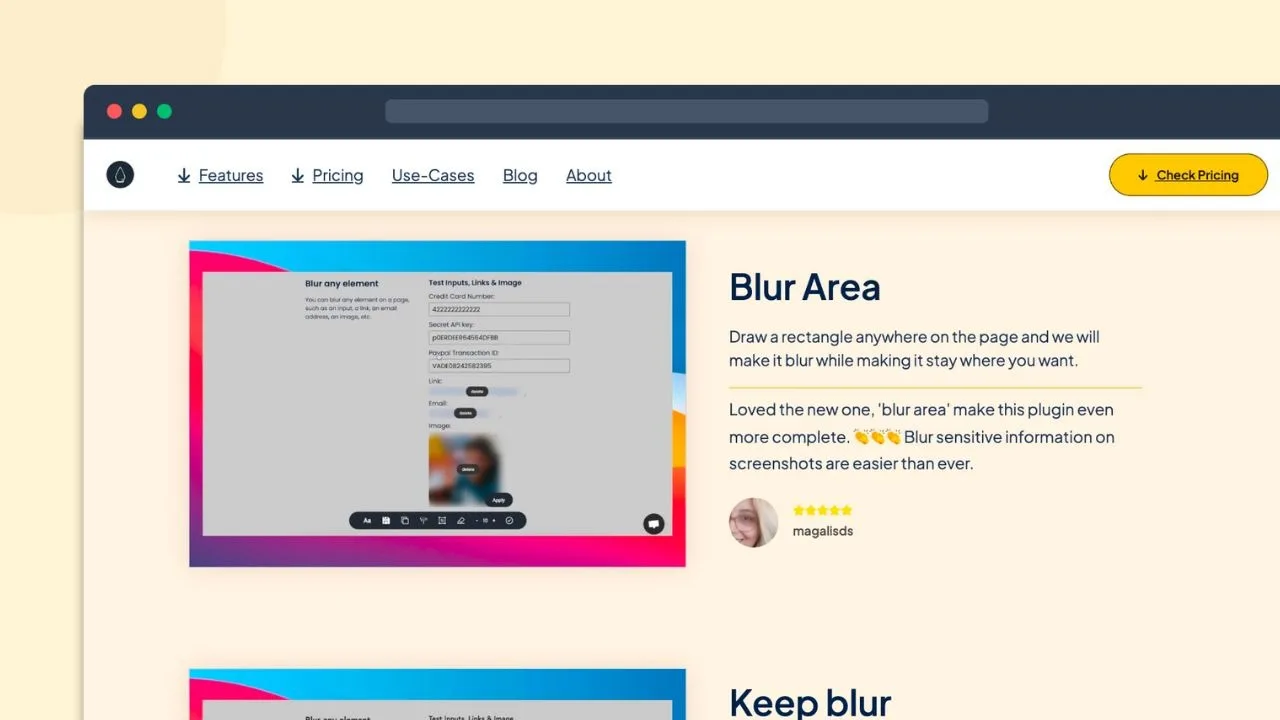
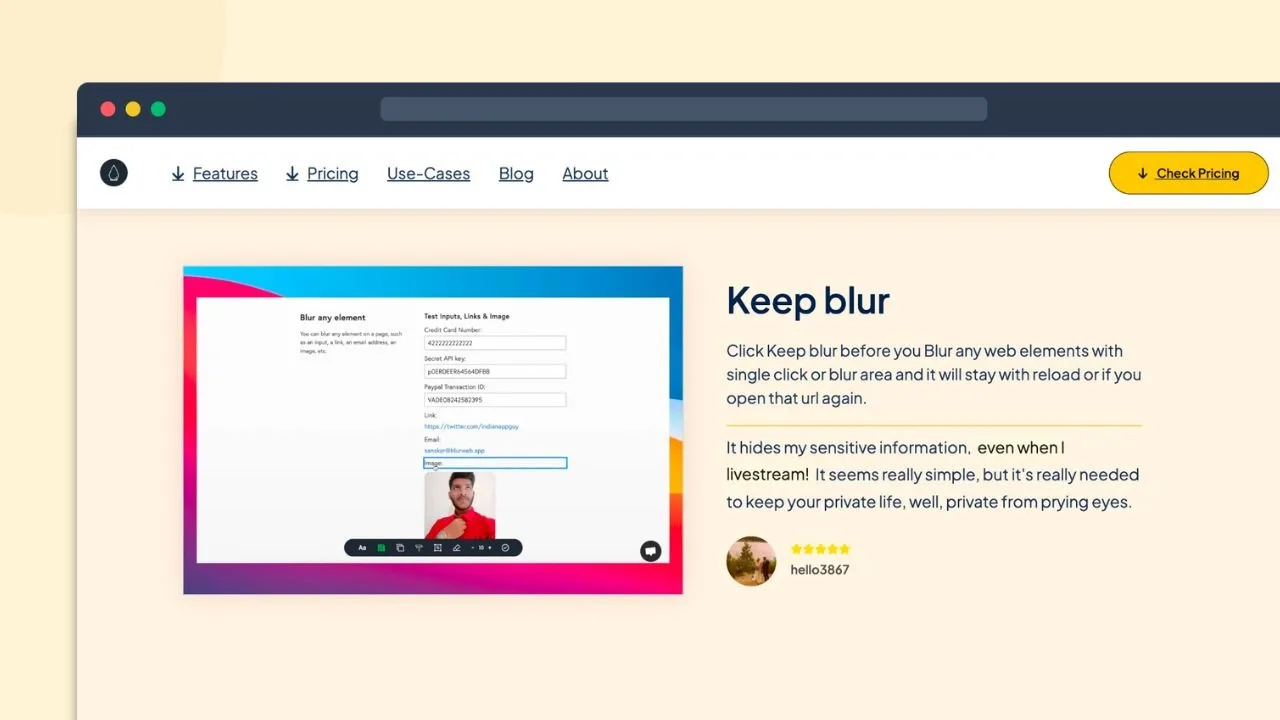
The app’s functionality extends beyond just text blurring. Users can blur entire sections of a page, hide tab titles and icons, and ensure that blurred content remains so during live video sessions. This makes it an essential tool for those needing to protect confidential data while communicating over the web.
How to use Blurweb App?
Utilizing Blurweb App is straightforward. Here’s how to maximize its features:
- Install the Blurweb App extension on your preferred web browser.
- Select the area or text on the webpage you wish to blur.
- Click the blur option to instantly hide the selected data.
- Start your screen recording or live presentation with the assurance that sensitive data is secured.
- Use the integration features with platforms like Zoom for added efficiency.
Key Differentiators
One of the primary elements that set Blurweb App apart from other privacy tools is its real-time blurring capability. This feature unique to Blurweb ensures that users can react and secure data instantly without pausing or delaying their workflow to perform edits or adjust privacy settings.
Moreover, integrations with widely-used communication tools like Google Meet and Zoom enhance its usability. It adapts seamlessly to different platforms, offering users the flexibility and reliability needed in both professional and personal settings.
Pros and Cons
Pros
- Instant blurring of data ensures quick privacy.
- Easy-to-use interface streamlines workflow.
- Seamless integration with common communication tools.
- Affordable one-time purchase price.
- Positive user reviews highlight reliable functionality.
Cons
- Potential compatibility issues with specific websites.
- Blurring might not persist after page reload on some sites.
Overall, while there are a few minor drawbacks, the benefits of Blurweb App—such as its immediate functionality and low cost—make it a prudent choice for users prioritizing privacy without compromise.
Who Is It For?
Blurweb App is designed for professionals and creatives who handle sensitive information regularly. Content creators who share screen recordings online will appreciate its straightforward approach to ensuring privacy. In contrast, customer support teams will find it invaluable for navigating sensitive client data during meetings or demonstrations.
Moreover, educators and business professionals who present information online can use this tool to protect private data efficiently, creating a trustworthy environment during video conferences and webinars.
See the product in action
Product images
At a glance
| Integrations |
Google MeetLoomMicrosoft TeamsZoom
|
|---|---|
| Best for |
Content creatorsCustomer supportYouTubers
|
Is it worth it?
Blurweb App is an outstanding tool for those seeking to maintain privacy during online interactions. By providing instant data blurring perfect for customer support or content creators, it stands as a valuable asset. Priced affordably at $17 with a 39% discount, this app offers great value for money, especially considering its lifetime access. For anyone regularly dealing with confidential data, Blurweb App is a smart investment. While minor issues exist, the overall convenience and security it provides make it a worthwhile tool.

About IndianAppGuy Tech Private Limited
Compared to alternatives
| Feature | Blurweb App | [Competitor 1] | [Competitor 2] |
|---|---|---|---|
| Instant Blurring | Yes | Limited | No |
| Integration with Zoom | Yes | Yes | Yes |
| One-time Cost | $17 | $50 | $30 |
| Refund Policy | 60-day Guarantee | 30-day Guarantee | No Refunds |
* Based on publicly available information.
What users are saying
What users like
Most reviewers highlight the app’s ease of use and its efficiency in maintaining data privacy without requiring technical know-how. Users report that it significantly saves time during screen recordings and live presentations. Additionally, the affordable pricing and general reliability of the app are frequently praised.
Common concerns
Some users mention occasional problems with compatibility on specific websites, noting that the blur effect sometimes fails to persist after a page refresh. Despite these issues, the majority feel these are minor compared to the overall benefits offered by the tool.
FAQ
How does Blurweb App help protect data?
It instantly blurs sensitive data on web pages during screen sharing or recordings, ensuring privacy without additional editing.
Is there a refund option available?
Yes, Blurweb App comes with a 60-day money-back guarantee, so you can try it risk-free.
Can it integrate with video conferencing tools?
Yes, Blurweb App integrates with popular platforms like Zoom and Google Meet, enhancing its functionality during live sessions.
How user-friendly is Blurweb App?
The app is designed for ease of use, featuring a one-click solution to blur content, making it accessible to all users regardless of technical skill.
What platforms is it best suited for?
It’s particularly beneficial for content creators, educators, and anyone involved in customer support or online presentations.
Deal Terms
- Lifetime access to Blurweb App
- You must redeem your code within 60 days of purchase
- All future plan updates
- Stack up to 3 codes
Related products
Reelify AI: Clip Viral Moments
Reelify AI is a powerful tool to transform long videos into captivating short clips right on your Mac. With no credit limits...

SurFast Video Downloader: Easy Video Downloads
SurFast Video Downloader is your tool for seamless video downloads from over 1,000 websites. Ideal for content creators, educators, and marketing agencies,...

Followr Studio: AI Avatars & Viral Videos
Followr Studio is an innovative platform designed to transform your creative ideas into AI avatars and viral short videos. With its advanced...