PeekShot: Efficient Screenshot Automation
Quick summary
- Automate bulk screenshots with ease.
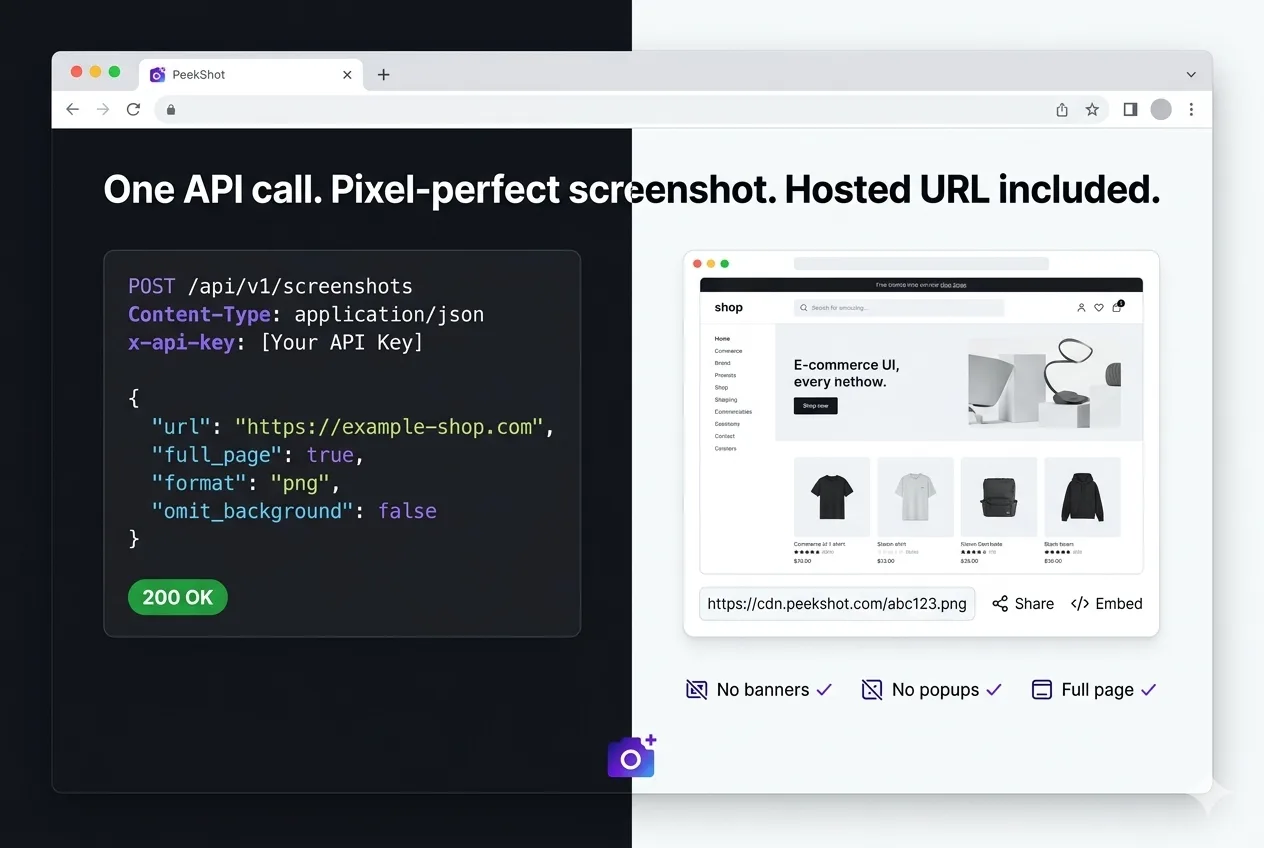
- Receive clean, hosted CDN links for each capture.
- Schedule and customize captures for precision.
PeekShot is a screenshot automation solution designed for seamless capture and sharing. This tool is indispensable for teams needing to schedule and automate large-scale screenshots efficiently. With PeekShot, no popups or manual captures are required, making it ideal for developers, marketing agencies, and QA teams.
The software provides a clean, hosted CDN link for every capture, easily integrating with tools such as Zapier and Webhooks. Its advanced features like scheduling and custom captures appeal to users looking for precision and automation in their workflow.
What PeekShot Does?
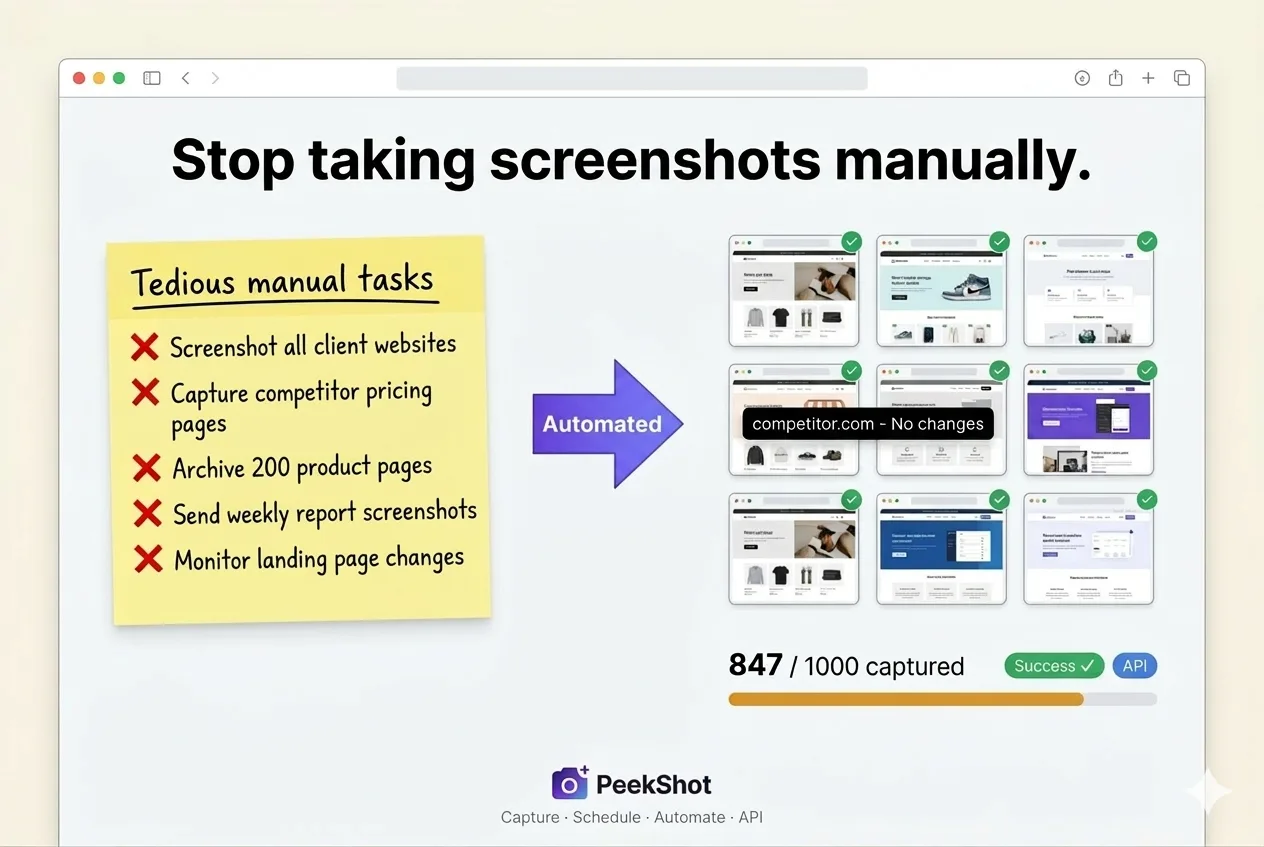
PeekShot automates the process of taking screenshots, allowing teams to schedule and bulk-capture website images. Users interact with a simple dashboard or an API to initiate captures without any manual intervention. Whether you need a full-page or responsive view, PeekShot delivers clean and hosted CDN links effortlessly.
By leveraging automation, PeekShot eliminates the need for server setups, popups, or banners. It’s designed for efficiency, making it easy for teams to manage and share screenshots at scale. This solution is especially beneficial for marketing agencies and QA teams that require precise image captures regularly.
How to use PeekShot?
Using PeekShot is straightforward, whether it’s through its dashboard or API. Follow these steps to get started:
- Log into your PeekShot account.
- Choose whether to take an immediate screenshot or schedule one for later.
- Specify the capture settings, like viewport size and user agents.
- Initiate the capture and receive a hosted CDN link.
- Integrate with tools like Zapier for additional functionality.
Key Differentiators
PeekShot sets itself apart with its advanced API-first platform, giving developers the power to automate with precision. The ability to schedule and customize captures with specific viewport sizes and user agent configurations is a significant advantage over traditional methods.
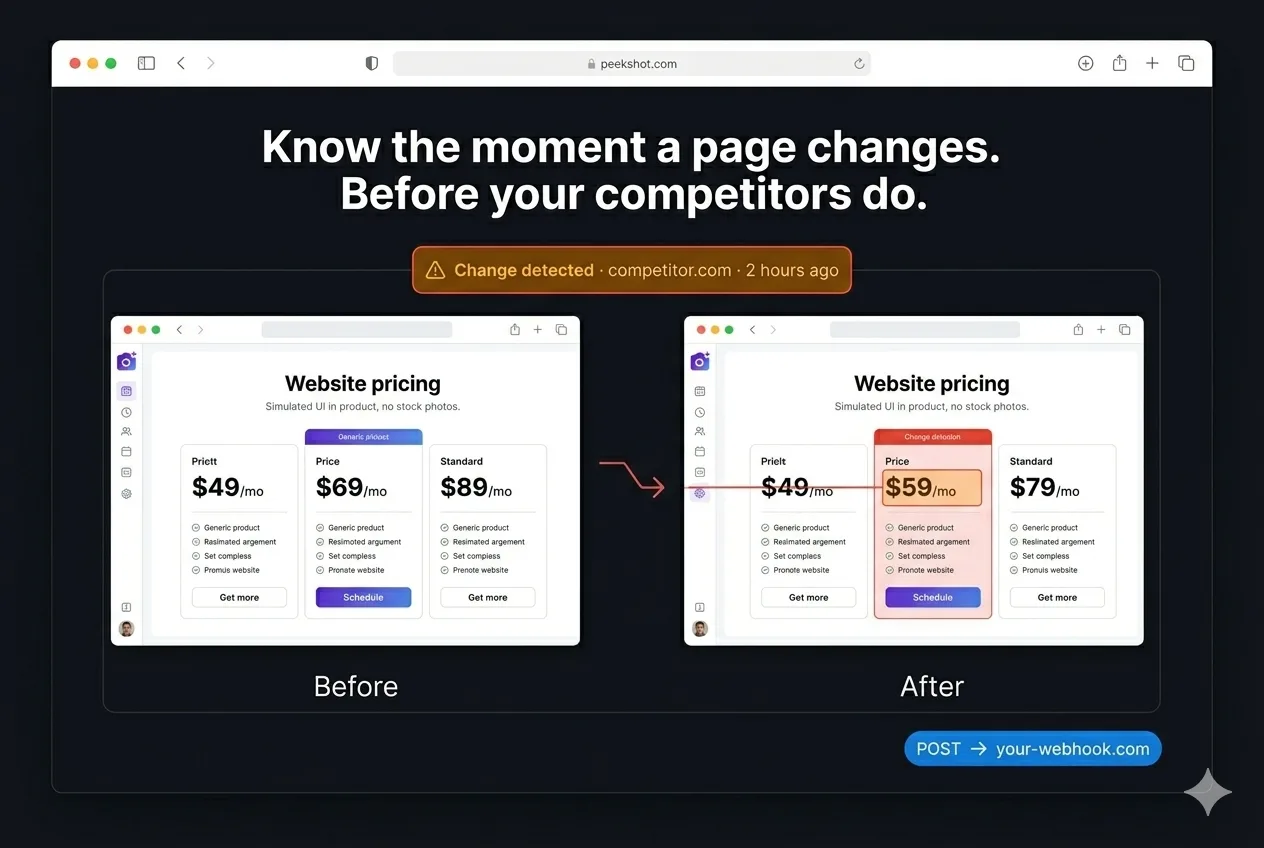
Additionally, PeekShot integrates seamlessly with other services like Make, Rest API, and Webhooks. This flexibility ensures that it can fit into numerous workflows, maximizing efficiency for teams that rely on timely and accurate screen captures.
Pros and Cons
Pros
- Automated, bulk screenshot capabilities save time.
- Integrated CDN links eliminate extra storage costs.
- Customizable captures offer precision.
- Compatible with various integrations like Zapier.
Cons
- Cloudflare may block some requests.
- Limited image format support needs enhancement.
Overall, PeekShot effectively balances its benefits and challenges, making it a reliable choice for many professionals.
Who Is It For?
PeekShot is ideal for developers, marketing agencies, and QA teams that need reliable screenshot automation. Its extensive features cater to those requiring seamless integrations and customizable options, ensuring captures meet specific project needs.
Furthermore, it’s perfect for teams that prioritize automation and efficiency, as PeekShot drastically reduces manual effort and streamlines the sharing process with its hosted CDN links. This makes it a smart investment for anyone needing consistent, high-volume captures.
Product images



At a glance
| Integrations |
MakeRest APIWebhooksZapier
|
|---|---|
| Best for |
DevelopersMarketing agenciesQA
|
Is it worth it?
PeekShot offers extensive automation and customizable features ideal for developers and agencies. With a 75% discount, it’s an exceptional value compared to its original price. While it does have minor limitations like blocking issues, the benefits far outweigh the drawbacks.
Overall, PeekShot is a valuable tool for anyone needing automation in screenshot capturing. Offering solid integration options and scheduling capabilities, it’s well worth the investment for streamlined workflows and improved efficiency.

Compared to alternatives
| Feature | PeekShot | Competitor 1 | Competitor 2 |
|---|---|---|---|
| Automated bulk capture | Yes | Limited | No |
| CDN hosting for captures | Included | Extra cost | No |
| API-first platform | Yes | Partially | No |
* Based on publicly available information.
What users are saying
What users like
Users report that PeekShot’s advanced API-first approach is a major benefit. Most reviews highlight the precision of full-page and responsive captures, as well as its easy scheduling options. The hosted CDN links receive praise for their simplicity and efficiency.
Common concerns
Some mention issues with Cloudflare blocking requests and limited image format support. These are considered manageable, and overall satisfaction remains positive despite these challenges.
FAQ
How do I redeem my PeekShot code?
You must redeem your code within 60 days of purchase by signing up or logging into your PeekShot account.
What plans will I receive updates for?
All future updates for Basic (Plan 1) or Advanced (Plans 2+) will be provided to users.
Can I use PeekShot with Zapier?
Yes, PeekShot integrates seamlessly with Zapier to enhance your automation capabilities.
Is there a limit to how many codes I can stack?
You can stack up to 3 codes for added flexibility.
What should I do if there’s an issue with Cloudflare blocking?
If you experience blocking by Cloudflare, consider modifying request headers or contacting PeekShot support for assistance.
Deal Terms
- Lifetime access to PeekShot
- Redeem your code(s) within 60 days of purchase
- Receive all future Basic or Advanced Plan updates
- Stack up to 3 codes per account
Related products

AI Context Flow: Universal Memory Bank
AI Context Flow is a transformative tool that empowers users to carry context across various AI platforms seamlessly. Designed for freelancers, marketing...
Chaos Control: Master Your Goals
Chaos Control is a personal organizer designed to streamline your daily tasks and goals management. Whether you’re seeking to enhance productivity in...

Slashit App: Faster Writing
Slashit App is an AI-powered tool that accelerates your writing process through text expansion and dynamic templates. Tailored for busy professionals, it...