WP Login Lockdown: Secure Your Site
Quick summary
- Protect your WordPress site with ease
- Implement two-factor authentication for added security
- Integrates seamlessly with WooCommerce
- User-friendly and intuitive interface
- 60-day money-back guarantee ensures satisfaction
WP Login Lockdown is the solution to protect your WordPress site from unauthorized access and brute-force attacks. By guarding your site with essential security features like bot protection and two-factor authentication, WP Login Lockdown ensures your business stays safe.
Whether you run a small business, an IT agency, or a web design firm, keeping your site secure is crucial. This tool offers peace of mind, allowing you to focus on growth instead of potential threats.
What WP Login Lockdown Does?
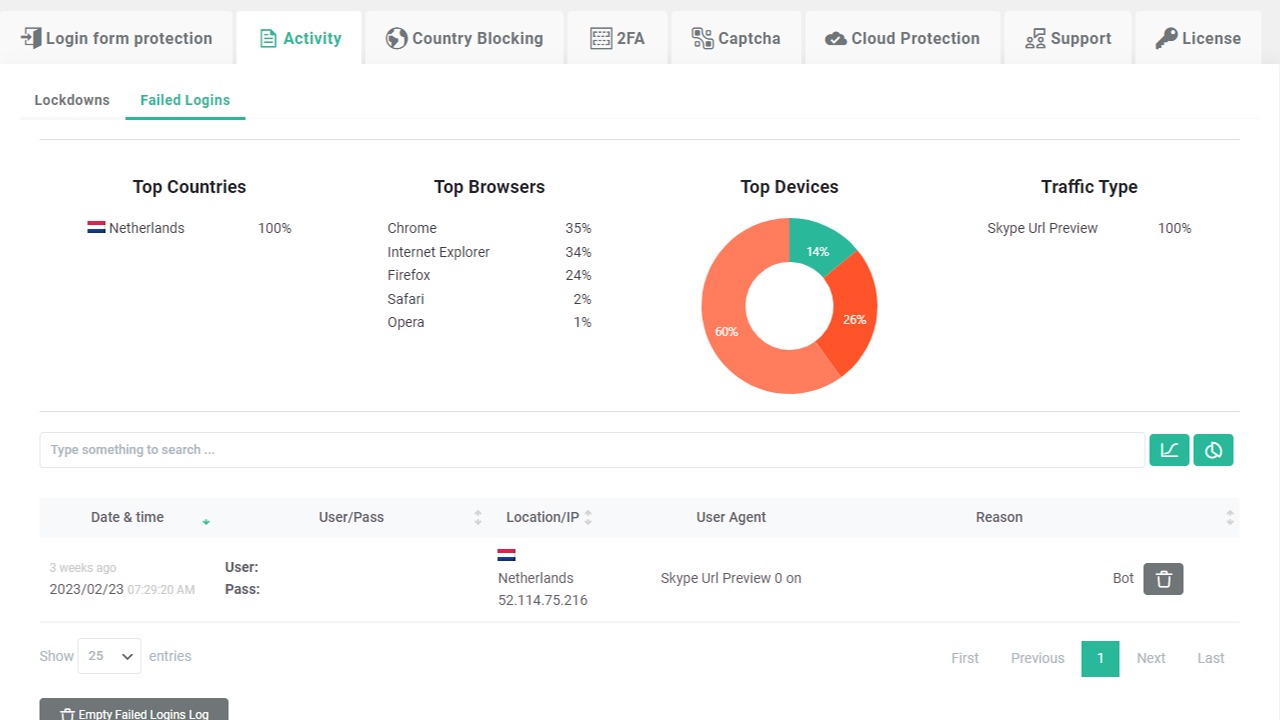
WP Login Lockdown provides an enhanced security layer that protects WordPress sites from brute-force attacks. It functions by implementing several protective measures, such as locking accounts after multiple failed login attempts and integrating two-factor authentication.
This tool is designed for intuitive installation and minimal management, ensuring that even those with limited technical knowledge can beef up their security. Its blacklist feature allows blocking of specific IP addresses, providing versatile precautions to maintain site stability.
Moreover, by seamlessly integrating with WooCommerce and WordPress, WP Login Lockdown becomes a valuable asset for businesses looking to secure their online transactions and user data effectively.
How to use WP Login Lockdown?
Utilizing WP Login Lockdown is straightforward. Here is how you can secure your site:
- Install and activate the WP Login Lockdown plugin on your WordPress site through the plugin directory.
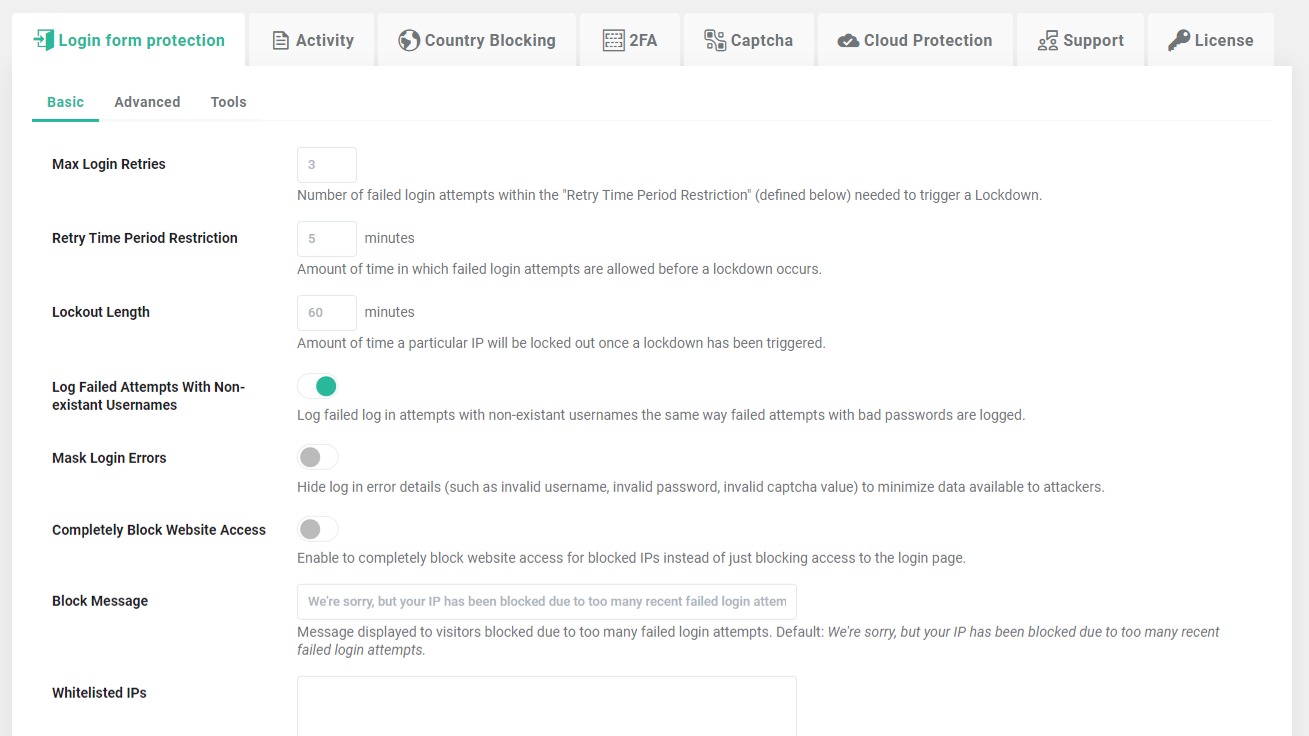
- Configure the security settings by setting up two-factor authentication and defining blacklist rules for specific IP addresses.
- Enable automatic account lockouts for failed login attempts to minimize brute-force attack risks.
- Regularly update the plugin to receive new security patches and improvements.
- Utilize the integration with WooCommerce for additional security on transactional pages.
Key Differentiators
WP Login Lockdown stands out due to its comprehensive yet user-friendly approach to site security. Unlike other security plugins that might overwhelm with technical jargon, it focuses on delivering robust protection without complicating the user’s experience.
Its seamless integration with WooCommerce and special focus on enabling two-factor authentication and IP blacklisting makes it particularly appealing for small businesses that require robust security measures without requiring extensive technical expertise.
Pros and Cons
Pros
- Comprehensive security features like bot protection and account lockdowns
- Easy integration with WooCommerce and WordPress
- User-friendly interface requiring minimal technical skills
- 60-day money-back guarantee for risk-free purchase
Cons
- Licensing restrictions might impact larger installations
- Some users report slower response times from support
Overall, the benefits of WP Login Lockdown in enhancing site security outweigh its limitations, making it a valuable tool for any WordPress user.
Who Is It For?
WP Login Lockdown is ideal for IT/security agencies, web design agencies, and small businesses looking to enhance their WordPress site security. Its ease of use and efficient integration make it particularly suitable for those who may not possess extensive technical knowledge or resources.
Companies handling sensitive customer data, online transactions, or personal information will benefit the most from implementing this robust security solution, providing customers with a trustworthy online experience.
Product images


At a glance
| Integrations |
WooCommerceWordPress
|
|---|---|
| Best for |
IT/security agenciesSmall businessesWeb design agencies
|
Is it worth it?
In evaluating WP Login Lockdown, it becomes evident that its comprehensive security features are precisely what many small businesses and IT agencies need. With a price point of $59 compared to the original $99, it offers significant value through robust protection measures such as account lockouts and two-factor authentication.
The tool is especially beneficial for small businesses and agencies looking for an efficient security solution without the complexity. While there are minor initial hurdles in adapting to its licensing, the overall user experience is positive, leading to a secure and responsive site management.
Ultimately, WP Login Lockdown emerges as a smart investment for those aiming to enhance their online security, providing users with much-needed peace of mind.

About WebFactory Ltd
Compared to alternatives
| Feature | WP Login Lockdown | Competitor 1 | Competitor 2 |
|---|---|---|---|
| Two-factor Authentication | Yes | Yes | No |
| IP Blacklisting | Yes | No | Yes |
| WooCommerce Integration | Yes | No | No |
| Account Lockouts | Yes | Partial | Yes |
* Based on publicly available information.
What users are saying
What users like
Most users appreciate the comprehensive protection features like two-factor authentication and the intuitive interface. This combination allows even non-technical users to secure their sites efficiently. WP Login Lockdown’s fast and helpful customer support is also highly praised.
Common concerns
Some users mention challenges related to licensing restrictions, suggesting it might not be favorable for larger installations requiring expansive user control. There are occasional reports of slower response times from the support team, though most experiences are positive.
FAQ
How does WP Login Lockdown work?
WP Login Lockdown secures your site by implementing measures like account lockouts, IP blacklisting, and two-factor authentication.
Is WP Login Lockdown compatible with WooCommerce?
Yes, WP Login Lockdown seamlessly integrates with WooCommerce to enhance the security of transactional pages.
What is the guarantee period?
WP Login Lockdown offers a 60-day money-back guarantee, allowing you to try the product risk-free.
How to redeem the purchase code?
Your purchase code must be redeemed within 60 days of purchase to secure lifetime access to the plugin.
How many codes can I stack?
You can stack up to 3 codes to increase feature limits and protect additional sites.
Deal Terms
- Lifetime access to WP Login Lockdown
- All future WP Login Lockdown updates
- You must redeem your code(s) within 60 days of purchase
- Stack up to 3 codes
- GDPR compliant
- Previous customers who purchased WP Login Lockdown can buy more codes to increase their feature limits
Related products

BLAZE Quantum: Quantum-Safe File Sharing
BLAZE Quantum is a secure file transfer and storage solution with quantum-safe encryption technology. It's designed to protect your files, notes, and...
Opticks – Plus Exclusive: Exclude Fake Clicks
Opticks - Plus Exclusive is an analytics-based security platform designed to detect fake or invalid traffic and prevent ad fraud. By using...
WP Captcha: Secure WordPress Effortlessly
WP Captcha is an essential tool for enhancing the security of your WordPress site. By integrating CAPTCHA, firewall, and more, it effectively...