WP Security Ninja: Protect Your WordPress
Quick summary
- Protect your WordPress site effectively.
- Easy to install with one-click fixes.
- Conducts over 50 security tests.
- Integrates with WordPress seamlessly.
WP Security Ninja is a comprehensive solution to shield your WordPress site from potential threats. This security plugin performs over 50 tests and offers one-click fixes to safeguard your digital presence. Protect your site effortlessly with WP Security Ninja‘s robust features.
Designed with web developers in mind, this plugin offers firewall and login protection, ensuring a secure browsing experience. Not only does it provide powerful defenses, but it also integrates seamlessly with WordPress and webhooks for optimal functionality.
What WP Security Ninja Does?
WP Security Ninja is an all-in-one security solution aimed at protecting WordPress sites from various cyber threats. This versatile plugin performs over 50 comprehensive security tests, identifying vulnerabilities that could be exploited by hackers.
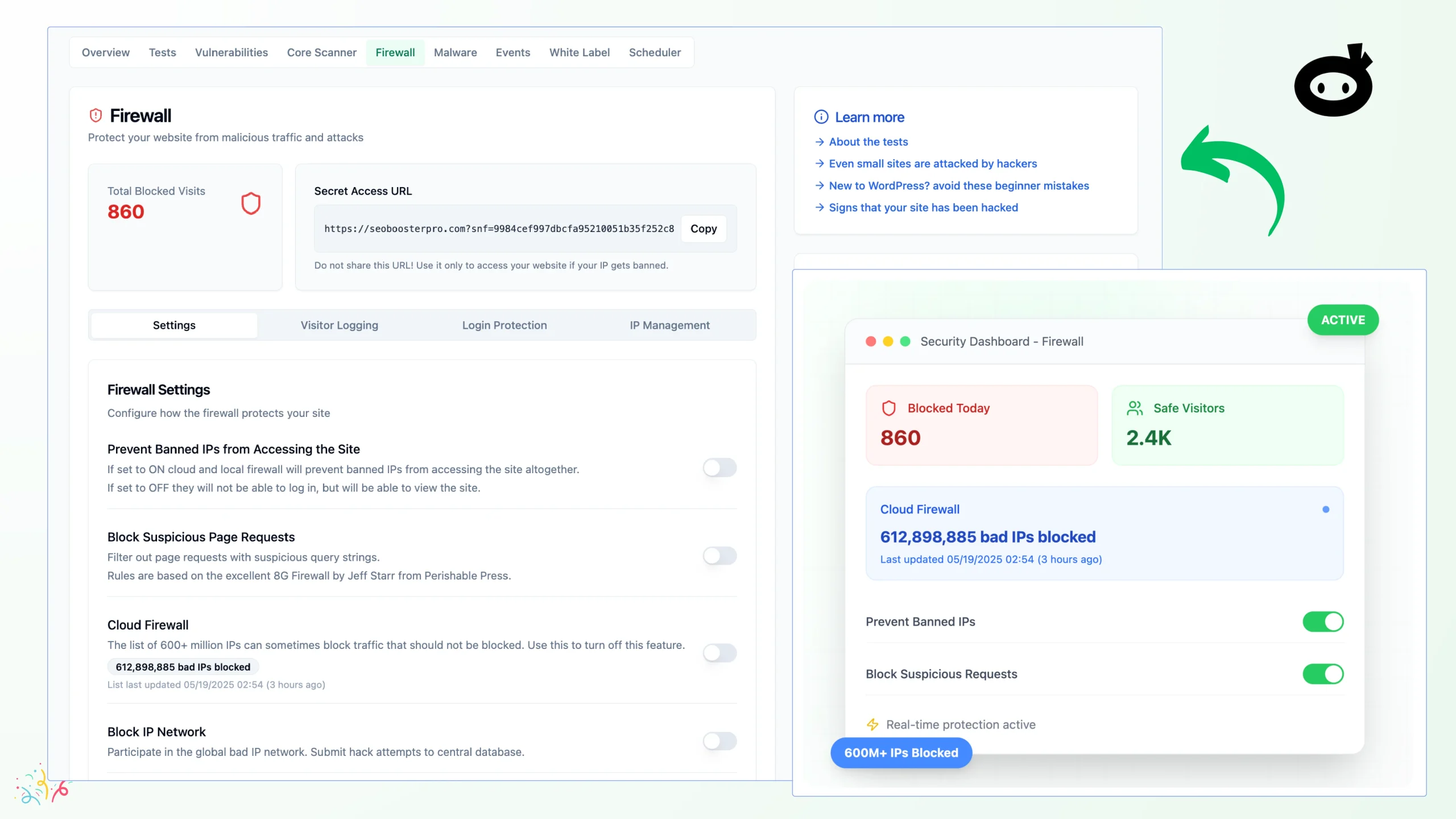
The plugin offers a range of features, including firewall protection and login security, preventing unauthorized access and safeguarding sensitive data. Additionally, it conducts a quick security audit, allowing users to fix common issues with just a single click.
One of its standout offerings is the practical security audit and hardening layer, which adds an extra layer of protection. This comprehensive approach makes it an ideal choice for individuals and organizations looking to maintain a high level of site security.
How to use WP Security Ninja?
Installing and using WP Security Ninja is straightforward, even for those without technical expertise. Here’s how to get started:
- Download and install the plugin on your WordPress site.
- Run the initial security audit to identify potential vulnerabilities.
- Utilize the one-click fix feature to resolve identified issues.
- Enable firewall protection for ongoing security monitoring.
- Regularly update the plugin to benefit from the latest security features.
Key Differentiators
WP Security Ninja stands out due to its one-click solution for fixing common security issues. This ease of use ensures that even non-technical users can maintain their website security efficiently.
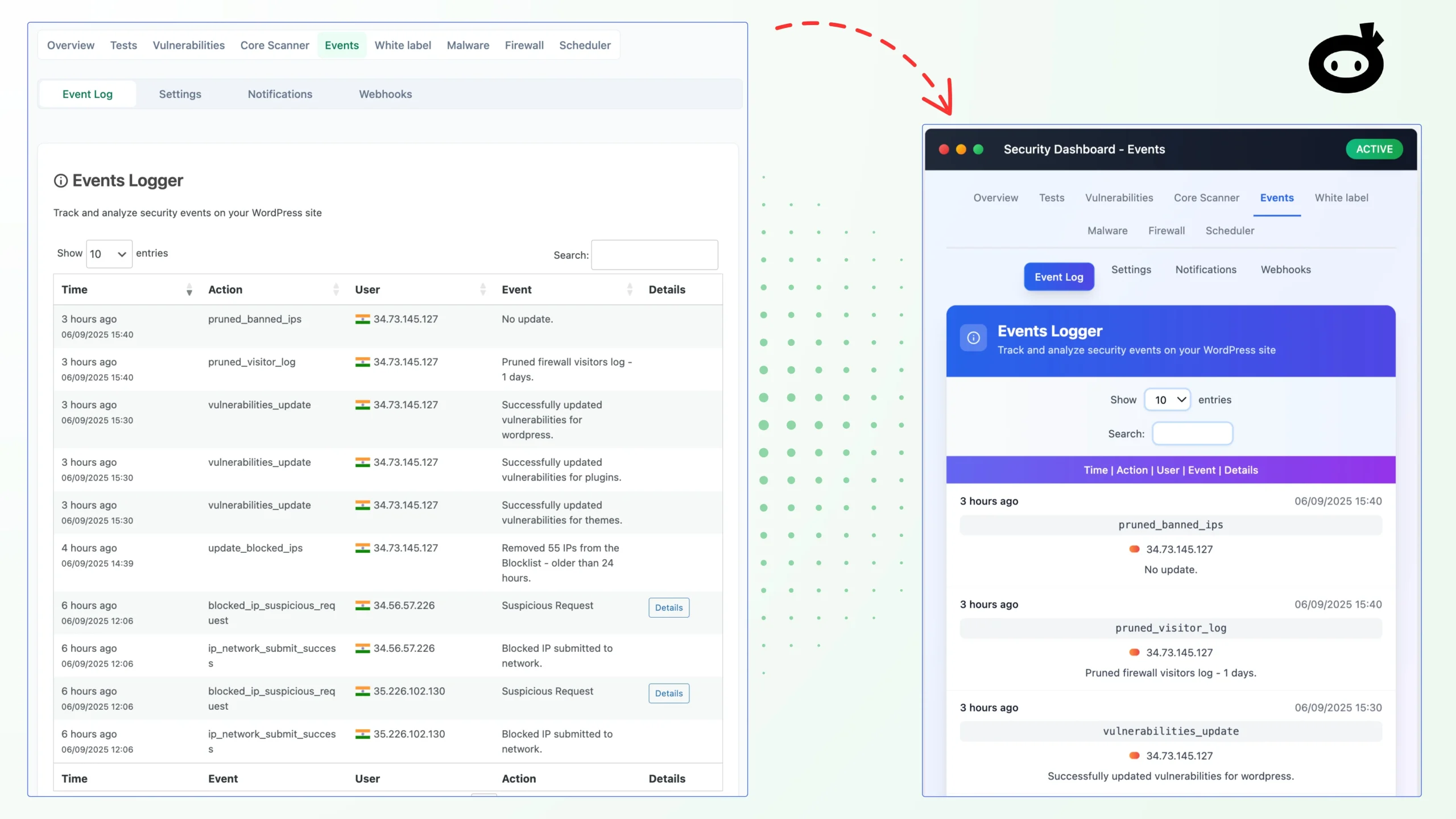
Furthermore, its seamless integration with WordPress and webhooks emphasizes user-friendliness, allowing for automated actions and alerts. This integration is vital for web developers and agencies that handle multiple sites and require a reliable security solution.
Pros and Cons
Pros
- Comprehensive security testing with over 50 checks.
- One-click fixes simplify the security management process.
- Seamless WordPress integration ensures compatibility.
- Regular updates to stay ahead of new threats.
Cons
- Some users report issues with activation.
- White label feature may have limitations.
Overall, WP Security Ninja offers a solid combination of features and ease of use, making it a reliable choice for enhancing WordPress site security, albeit with minor drawbacks concerning activation and customization.
Who Is It For?
WP Security Ninja is ideal for freelancers, web design agencies, and independent web designers seeking to ensure the security of their WordPress sites. Its comprehensive testing and one-click fix feature make it suitable for professionals managing multiple client websites.
Additionally, this plugin is beneficial for WordPress site owners who prefer an easy-to-use solution that requires minimal maintenance. With a user-friendly interface, it’s perfect for those who want robust protection without delving into technical details.
See the product in action
Product images



At a glance
| Integrations |
WebhooksWordPress
|
|---|---|
| Best for |
FreelancersWeb design agenciesWeb designers
|
Is it worth it?
WP Security Ninja is an effective solution for securing WordPress sites, especially for freelancers and agencies needing reliable protection. At a reduced price of $69, it’s affordable compared to competitors, offering significant value for the features it provides.
With benefits like one-click fixes and comprehensive security tests, its overall offer is worth considering for both experienced web designers and beginners. Therefore, WP Security Ninja is a smart investment for anyone prioritizing website security at a competitive price point.

About Larsik Corp (WP Security Ninja, SEO Booster Pro)
Compared to alternatives
| Feature | WP Security Ninja | Competitor 1 | Competitor 2 |
|---|---|---|---|
| Security Tests | 50+ | 30+ | 40+ |
| One-click Fixes | Yes | No | Yes |
| WordPress Integration | Seamless | Limited | Seamless |
| Firewall Protection | Included | Extra Cost | Included |
* Based on publicly available information.
What users are saying
What users like
Users report that WP Security Ninja’s quick security audit and one-click fix functionalities are highly effective. Most reviewers highlight the ease of installation and the comprehensive nature of the security checks.
Common concerns
Some users mention difficulties with the activation process. Additionally, the white label feature doesn’t always meet expectations, according to a few users.
FAQ
What is WP Security Ninja?
WP Security Ninja is a security plugin designed to protect WordPress sites from cyber threats through comprehensive tests and one-click solutions.
How do I activate my WP Security Ninja license?
Activate your license by following the instructions included after purchase within 60 days to ensure full access.
What integrations does it support?
WP Security Ninja integrates seamlessly with WordPress and supports webhooks for automation.
Is there a refund policy?
Yes, there’s a 60-day money-back guarantee if you’re not satisfied with the product.
Can existing users upgrade their plan?
Yes, existing users can upgrade their licenses to increase feature limits or access new offerings.
Deal Terms
- Lifetime access to WP Security Ninja
- All future Professional Plan updates
- If Plan name changes, deal will be mapped to the new Plan name with all accompanying updates
- No codes, no stacking—just choose the plan that’s right for you
- You must activate your license within 60 days of purchase
- Ability to upgrade between 4 license tiers while the deal is available
- Ability to downgrade between 4 license tiers within 60 days of purchase
- Available for new WP Security Ninja users and returning purchasers
- Previous customers who purchased WP Security Ninja can upgrade their license to increase their feature limits
- Previous customers will be grandfathered into any new features and feature limits
Related products

BLAZE Quantum: Quantum-Safe File Sharing
BLAZE Quantum is a secure file transfer and storage solution with quantum-safe encryption technology. It's designed to protect your files, notes, and...

Opticks – Plus Exclusive: Exclude Fake Clicks
Opticks - Plus Exclusive is an analytics-based security platform designed to detect fake or invalid traffic and prevent ad fraud. By using...

Insecure Web: Proactive Digital Security
Insecure Web is a solution designed to enhance your brand's security through proactive digital surveillance. With the growing threat of cyber attacks,...